
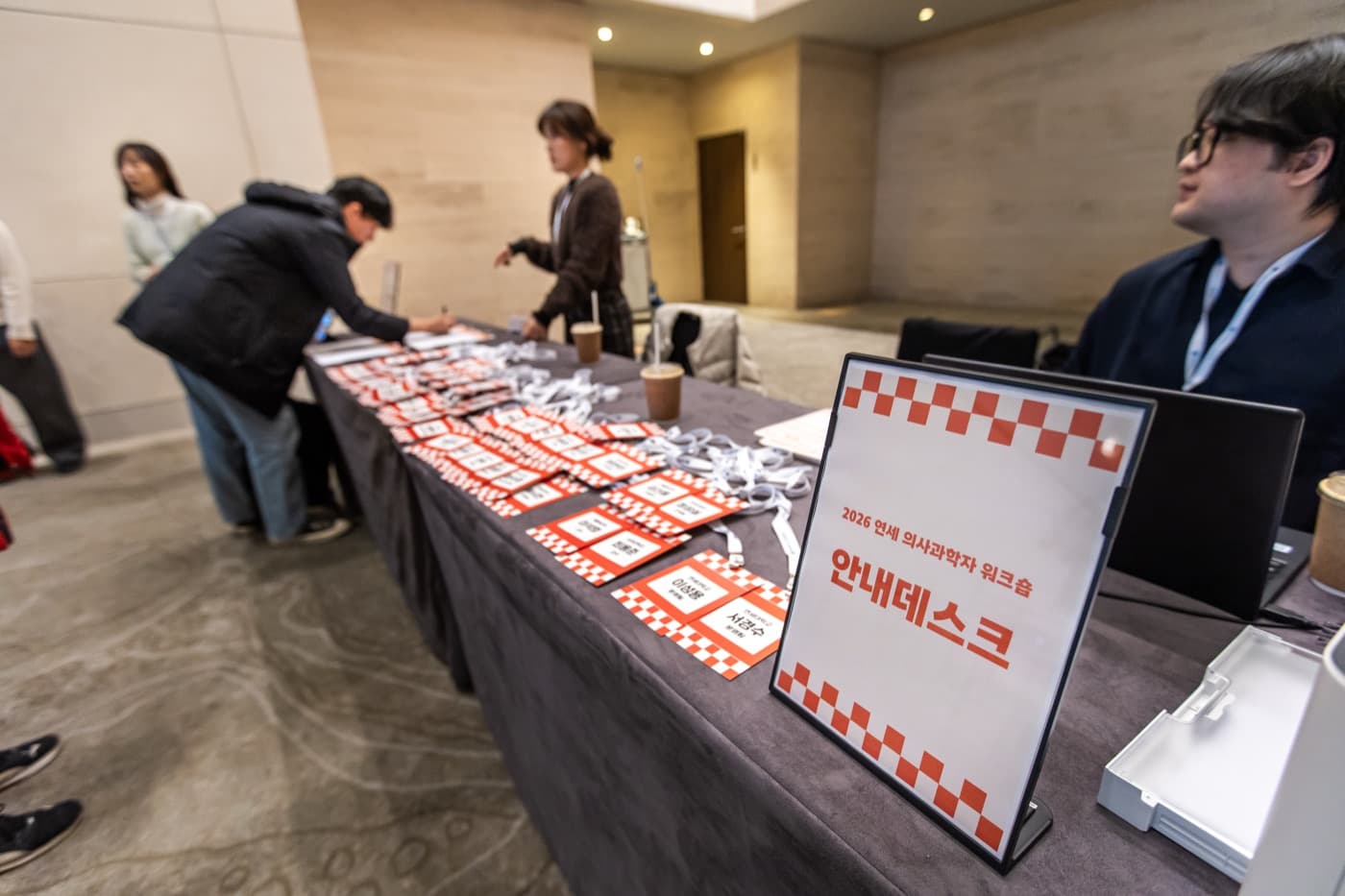
An event's first impression is made at the entrance, not on stage. The moment a queue forms at the registration desk, expectations drop; when one QR scan hands an attendee their badge, the whole event feels prepared. Here's what a first-time adopter needs to know, in order.
The full flow at a glance
- 1Pre-registration form — collect attendee information
- 2Roster confirmed — registrant data accumulates in the system
- 3QR distribution — personal QR links are sent to registrants automatically
- 4On-site check-in — instant verification by QR scan, via self-service kiosk or staff reader
- 5Issuance — badges, wristbands, or receipt-style prints issued on the spot
- 6Same-day registration — walk-ins register in the same system
The key is that these six steps run on one system. Split pre-registration and check-in across two vendors, and roster-sync problems surface on event morning.
Pre-registration — is a free platform enough?
Honestly: for small events, yes. Korean event platforms like EVENT-US offer event pages and attendee management for free. For an internal event of around 100 people, there's little reason to spend.
A custom pre-registration page earns its cost when you need: a fully branded page on your own domain (platform pages render inside the platform's frame), confirmed delivery by SMS (free platform tiers center on email; SMS is typically paid), integration with on-site check-in and your event website, or custom registration fields.
Registration waves — early bird is a marketing tool
Splitting registration into waves beats opening it all at once: wave 1 early bird (lowest price, biggest perks), wave 2 regular, and same-day on-site registration. With per-wave pricing and perks, the early-bird deadline doubles as your first recruitment deadline.
How many check-in kiosks do you need?
This is a planning assumption, not guaranteed throughput or waiting time. Rehearse with the actual devices and issuance materials, measure time per attendee, then finalize the setup for expected arrivals and a fallback route.
QR readers vs kiosks
Readers are handheld devices staff scan with; kiosks let attendees self-check-in and print badges. The usual combination: self-service kiosks for throughput at the main entrance, readers for VIP lines and side entrances.
Issuance — badges, wristbands, receipts
Decide what lands in attendees' hands at check-in. Conferences use badges, festivals and access-controlled events use wristbands, and a receipt-style print covers simple confirmation. Issuance items are reasonably billed at material cost — confirm the basis at the quote stage since print quotes vary with quantity and spec.
What the venue needs to provide
Simpler than you'd think: power and Wi-Fi. Internet is the venue's job; confirm at the quote stage whether the vendor handles equipment transport, installation, setup, and operator training.
FAQ
How many check-in kiosks do I need?
Start with one processing lane per 150 expected arrivals in the peak 30 minutes. If the peak is unknown, temporarily estimate 60% of total attendance. Adjust equipment and staffing for entrances, walk-ins and issuance time; the assumption does not guarantee throughput.
Isn't a free platform enough for pre-registration?
For small events, yes. A custom page earns its cost when you need event-branded pages, SMS confirmation delivery, integration with on-site check-in and your event website, or custom registration fields.
Can walk-ins attend without pre-registering?
Yes — take same-day registration in the same system and walk-ins register and receive badges or wristbands on the spot. Keep pre-registration and on-site registration in one system, or your roster splits.
Does cost scale with attendee count?
We do not scope from total attendance alone. Peak arrivals in 30 minutes, entrance count, equipment, staffing, and issuance scope are reviewed together; detailed amounts are sent only in the emailed quote.
Continue with a real project or solution
Yonsei physician-scientist workshop operations
Review the hotel coordination, badge production and registration inquiry scope.
View details →Platform, managed service, or custom build?
A selection guide that compares the three approaches with one checklist.
View details →Registration and QR access system
Review the full feature set from registration through on-site issuance.
View details →Discuss registration and check-in
Share your event scale and date; we help define the equipment and setup together.
View details →Get a quote from this setup
Zzzaritbot starts from what we delivered here and works out the scope with you.
View details →