
Book a place in a session
In the linked delivery case, teams booked within session capacity and staff called them by PDA. An NFC tap retrieved the team and booking before staff confirmed entry.
See the booking and entry caseConfigure session capacity, individual or team booking limits and age rules for activities and meetings. Connect attendee booking with staff PDA calls and NFC-assisted arrival checks, with host assignment where needed.
Delivered: Kakao Pay Unboxing Day 2026 — activity booking, PDA calls and entryA good fit when each booth or session has different capacity and the team needs to manage duplicates, no-shows and live progress.
Operating rules differ between securing a place in a session and calling dispersed attendees in entry order. Compare what each delivered setup assigned and how entry was handled.
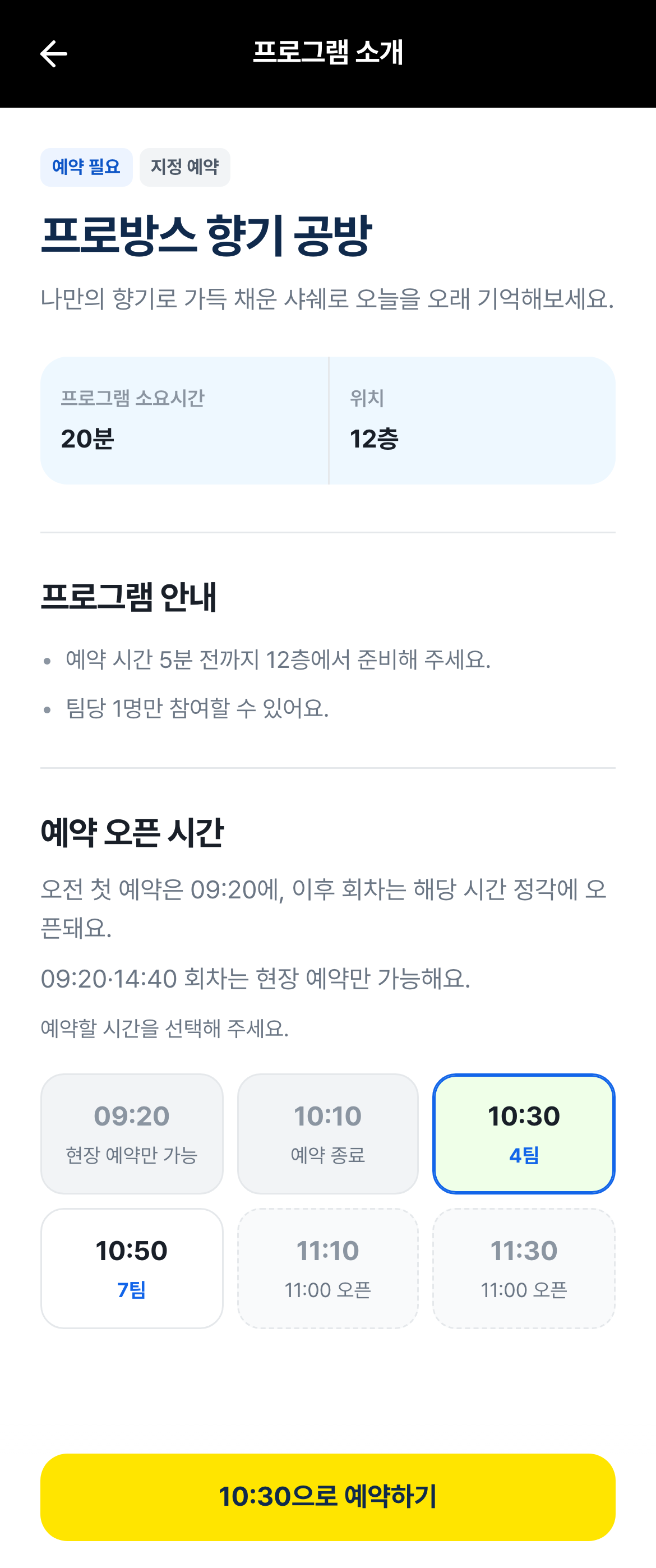
The mobile guide covered 37 locations and 11 bookable programs, showing where each program takes place and its participation conditions.
Attendees compare sessions, times, locations and current availability.
Define session capacity, individual or team limits, age rules, duplicates and cancellation. Include host availability for consultations.
Connect PDA calls and recalls with arrival and entry. An NFC lookup can retrieve the booking before a staff member confirms entry.
Confirm dates, sessions, seats, booths, staff and notification rules.
Set capacity, duplicate prevention, waitlists and staff assignment rules.
Validate booking, confirmation, reminders and live status changes end to end.
Train operators and support the live operating workflow during the event.
The context and delivery scope help you compare with your event.
The guide covered 37 locations, including 11 bookable programs. Each team could hold up to two active bookings before entry, with capacity and age rules. Staff called teams by PDA, retrieved their booking with an NFC tap and confirmed entry. Entry freed the team’s booking allowance while keeping that session’s capacity consumed.
View delivery details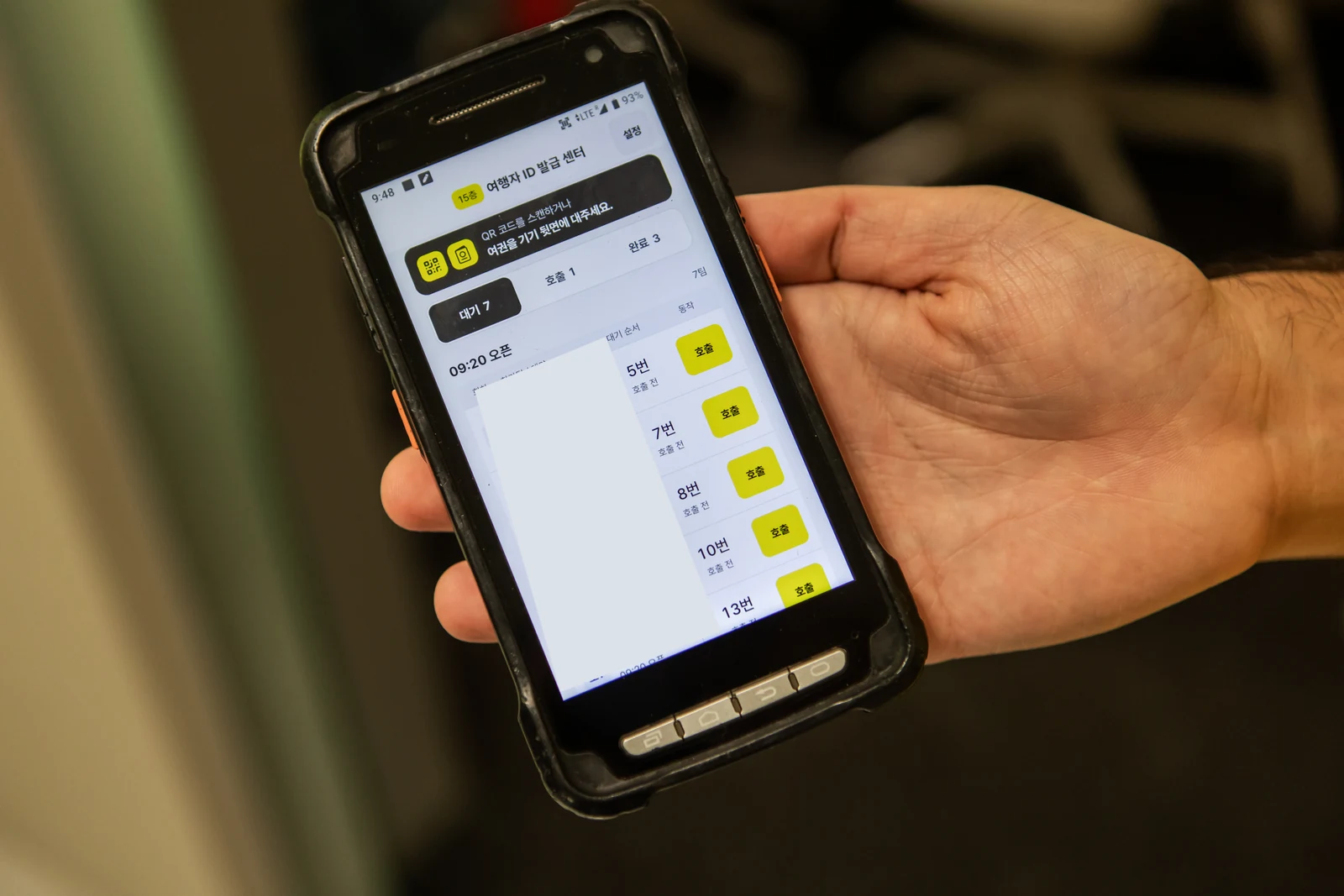
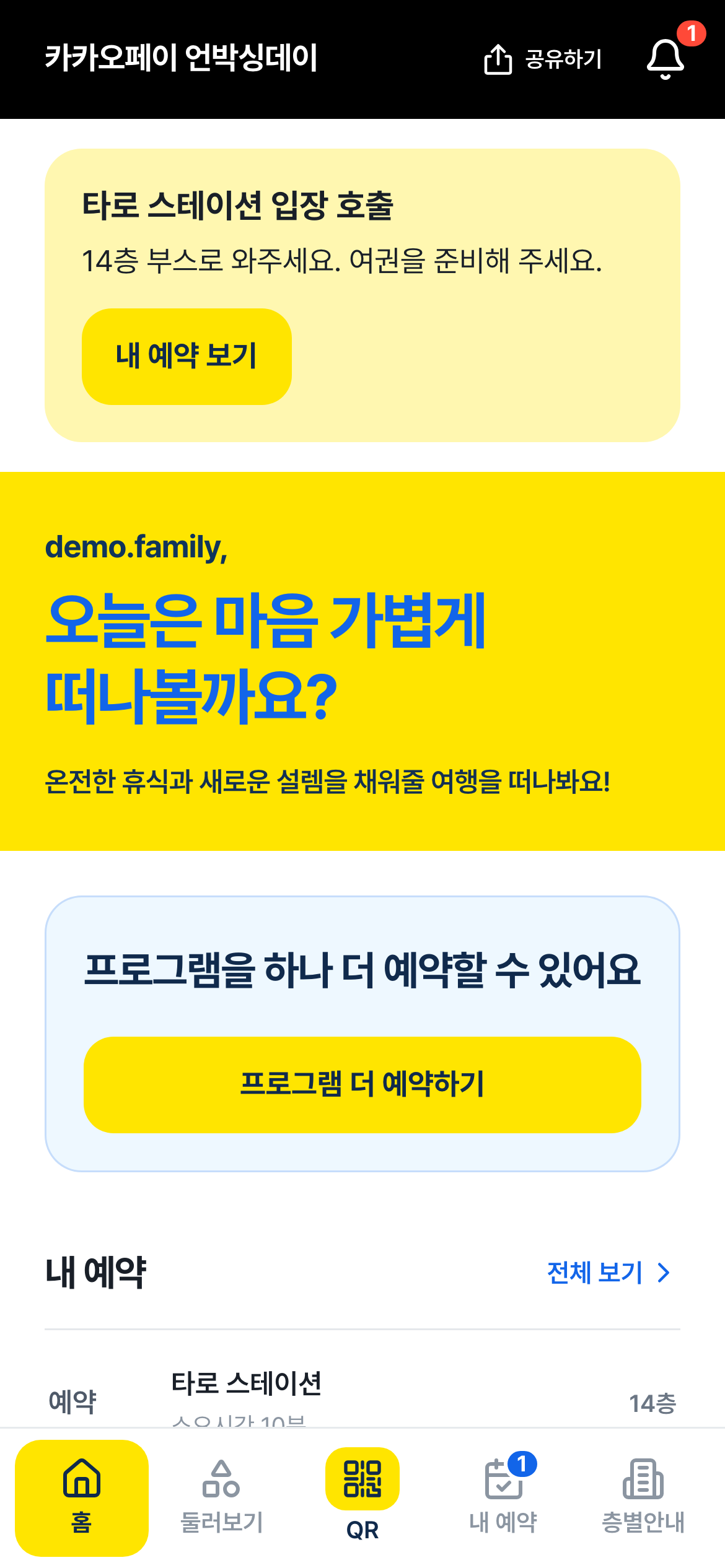
Attendee details shown in the interface are sample data.
A practical guide to consultation slots, queues and on-site progress.
Read moreYes. Define active booking limits and duplicate rules per person or team. For example, a team may hold two bookings before entry and make another after staff confirms entry.
Booking allowance and session capacity are separate. In the linked delivery case, entry freed the team to make another booking while keeping that session’s capacity consumed. Cancellation before entry returned capacity. No-show and re-entry rules are agreed for each event.
See booking allowance and capacity rulesDefine allowed ages and the attendee data used for eligibility. Staff can call and recall teams by PDA, retrieve a booking through NFC and explicitly confirm entry.
Yes. Registration windows, capacity and closure states can be set for each date and session.
Yes. Availability and capacity can be configured per booth, host and interpreter.
We agree duplicate rules and whether full sessions accept a waitlist. Queue order, how vacancies become confirmed bookings and unanswered calls need defined rules; if automatic promotion is needed, confirm its scope separately.
The field view can distinguish booked, arrived, waiting, in-progress, completed and no-show states.
Choose the required confirmation, change, cancellation, reminder and turn messages, their timing and channels. Staff PDA calls and attendee messaging are scoped separately, including channel integration, volume and pass-through costs.
The delivery includes slot design, messaging, multi-booth assignment and a live operator view rather than a standalone booking form.
Activity & meeting booking
Request a quote for this serviceDiscuss the scopeConfirm your configuration. The quote amount is sent by email.
Running this for a client? White-label & pitch support