
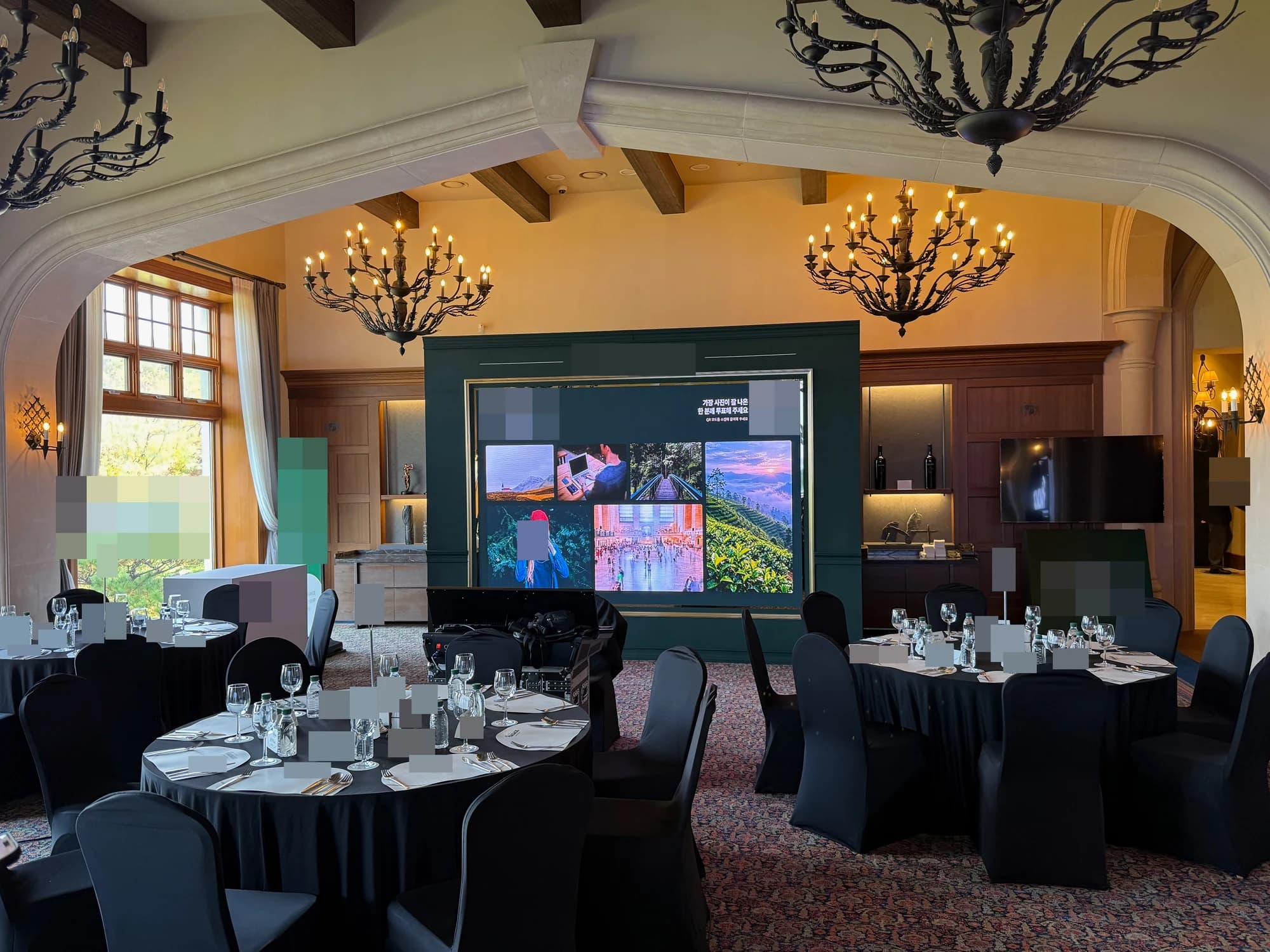
We built a participation system that displays event photos on large screens and lets guests scan a QR code to choose a favorite. zzzarit delivered the gallery and voting software, display-output setup, and on-site operations.
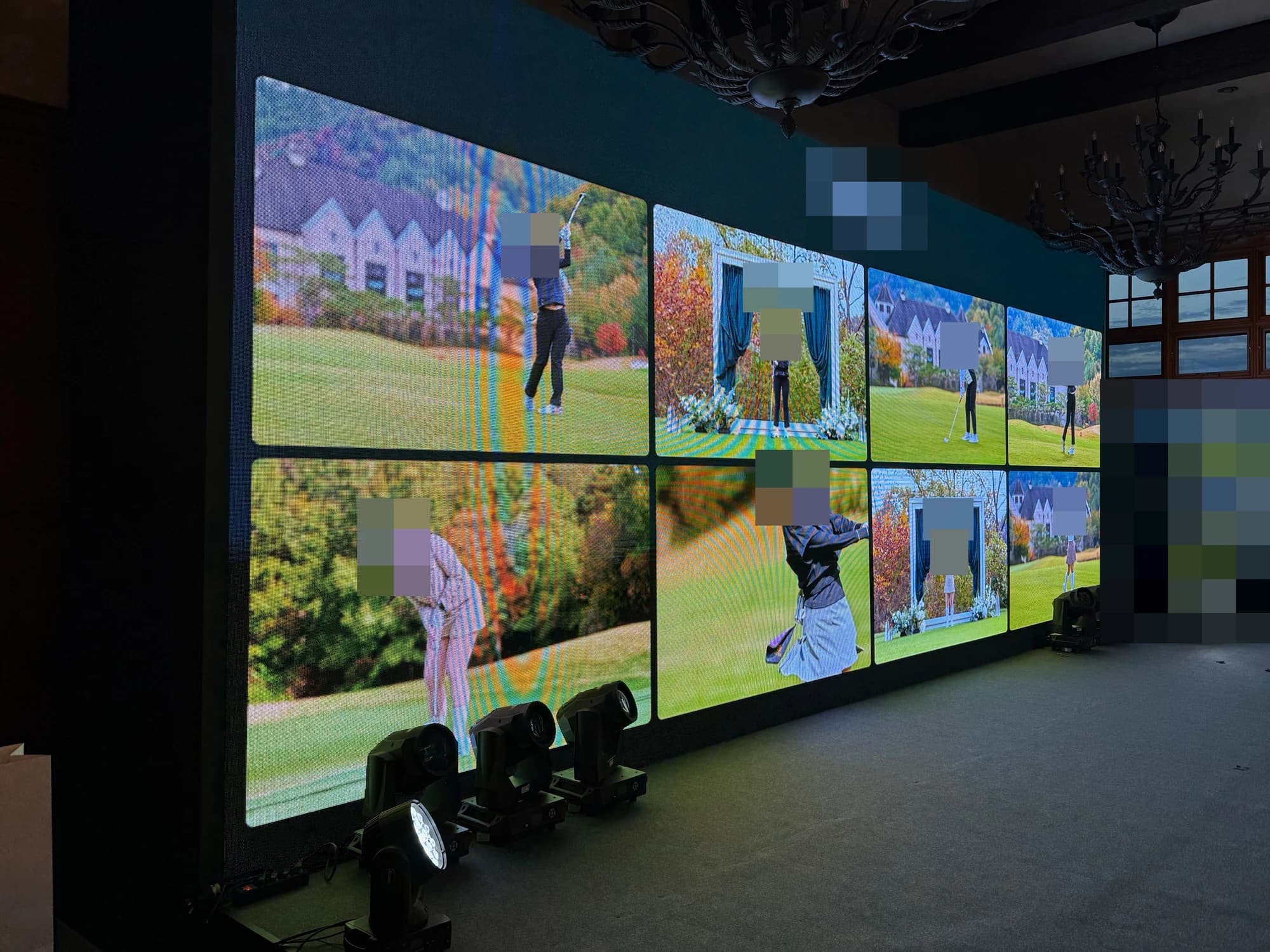
From photo upload to voting results
Display screens, the mobile voting experience, and admin tools connect photo collection with participation and results.
- 1Upload — operators add photos and assign team and participant labels.
- 2Display — choose which photos to show and on which LED screen.
- 3Scan — guests open the photo collection on their phones.
- 4Vote — view a photo, select one, and confirm submission.
- 5Review — operators check votes and rankings by photo.
A mobile flow for browsing and choosing
Guests can enlarge photos and browse the previous or next image. They review their selection before submitting, see the accepted photo on completion, and can change their vote before voting closes.
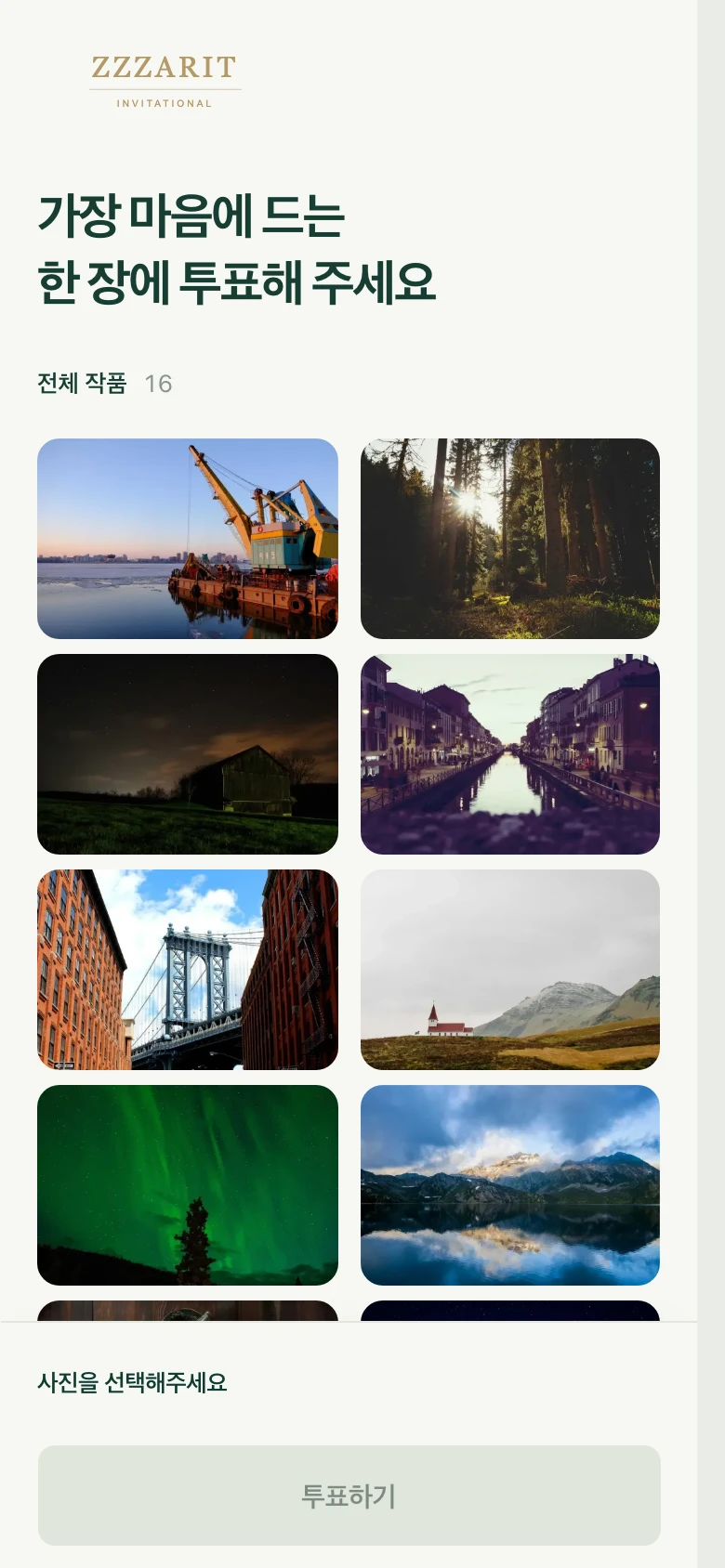
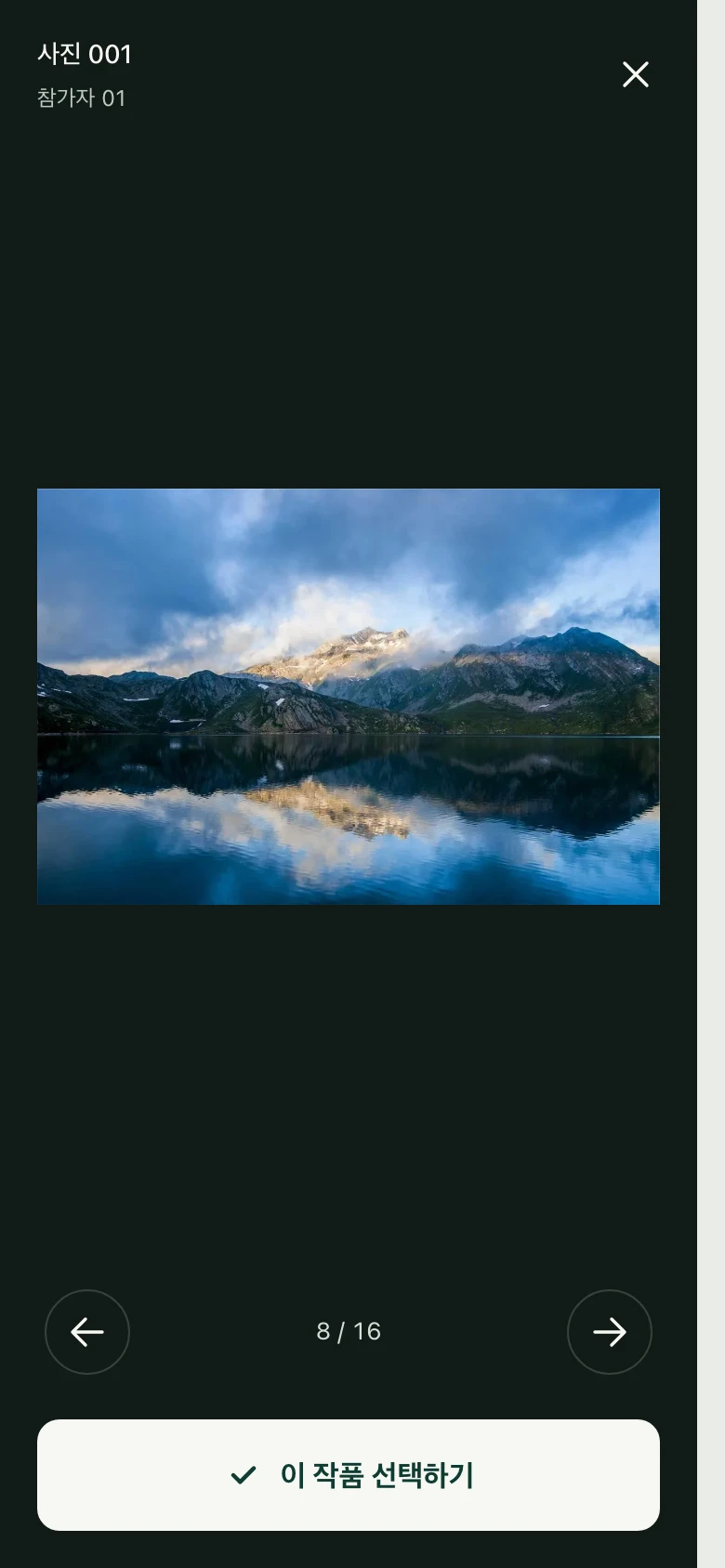
Photo collection and detail view, focused on browsing and selecting.
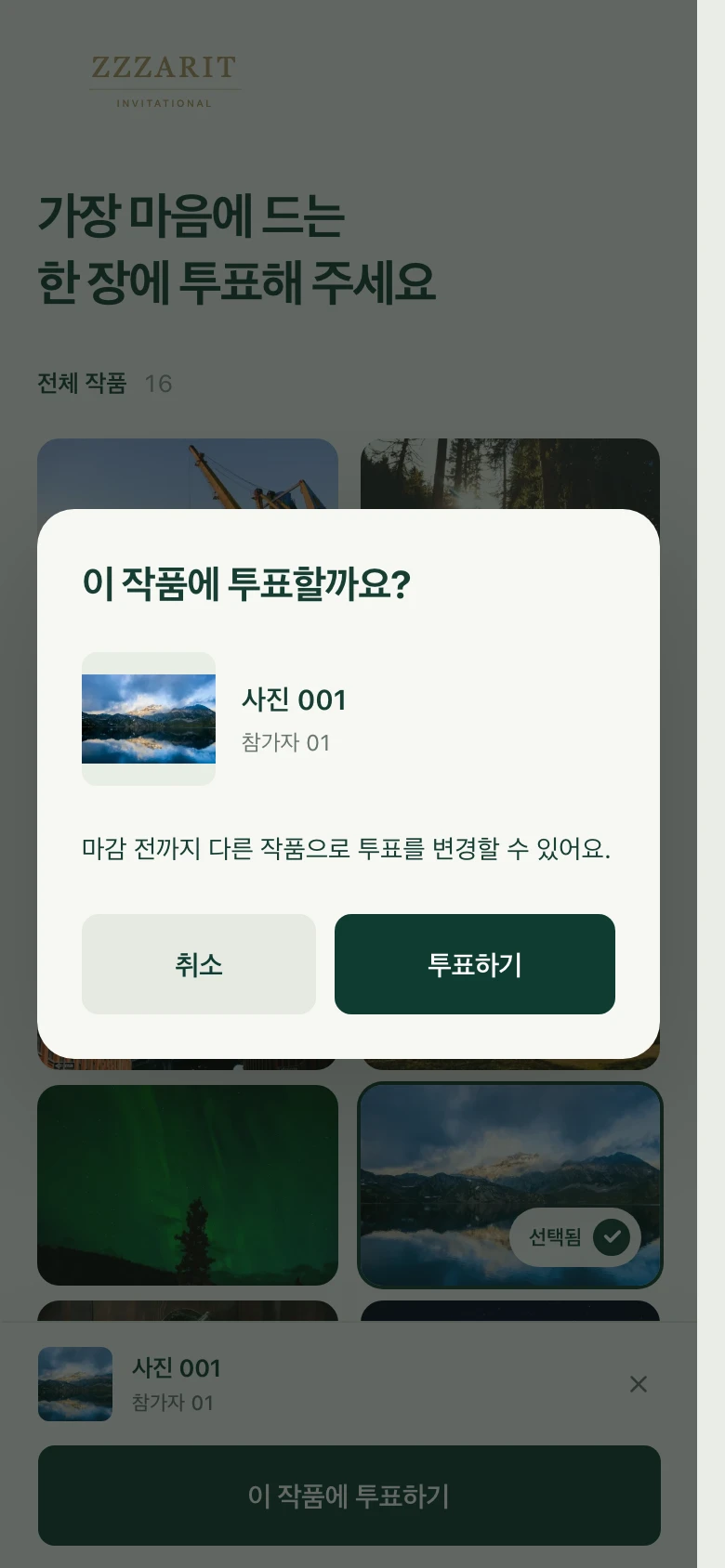
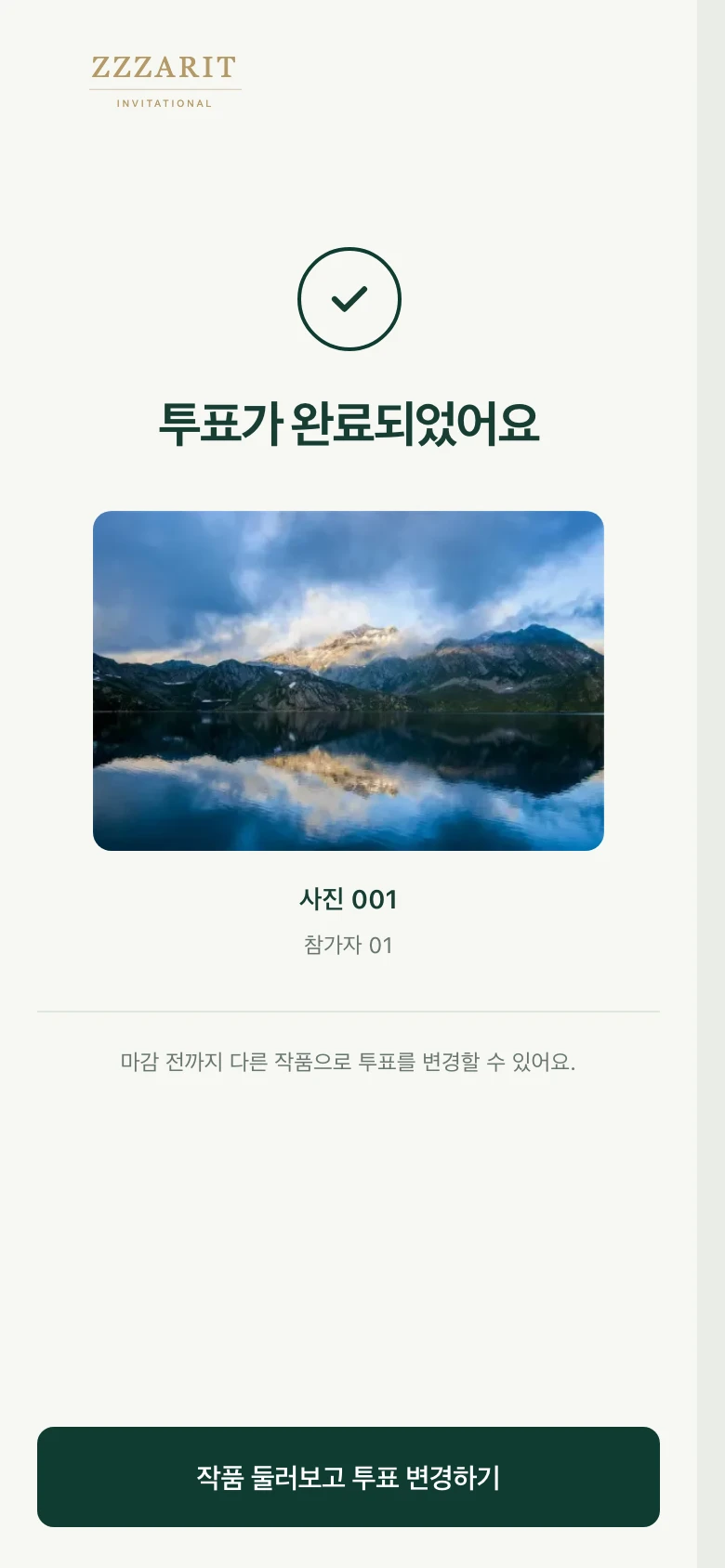
Selection review and completion, with an accepted photo and the option to change before closing.
From a rear display to an extra gallery during the meal
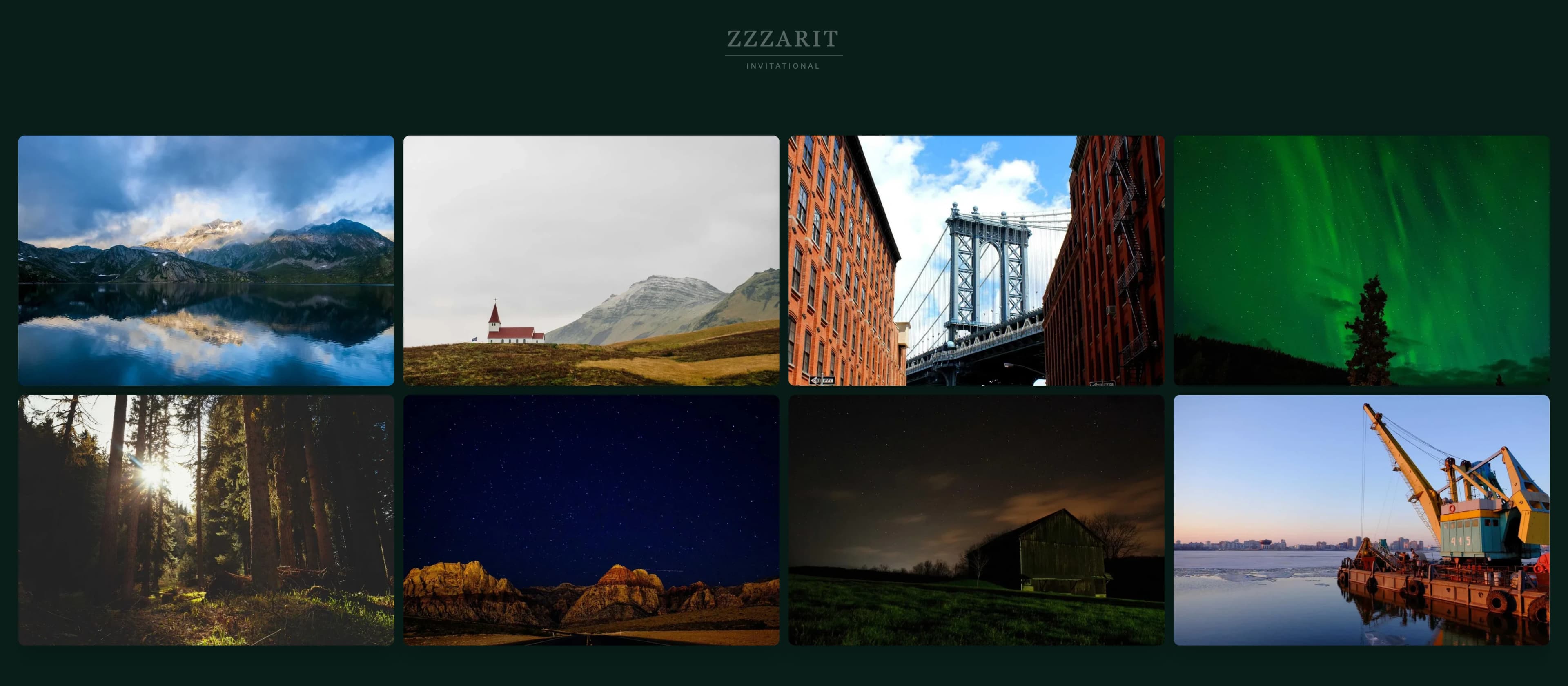
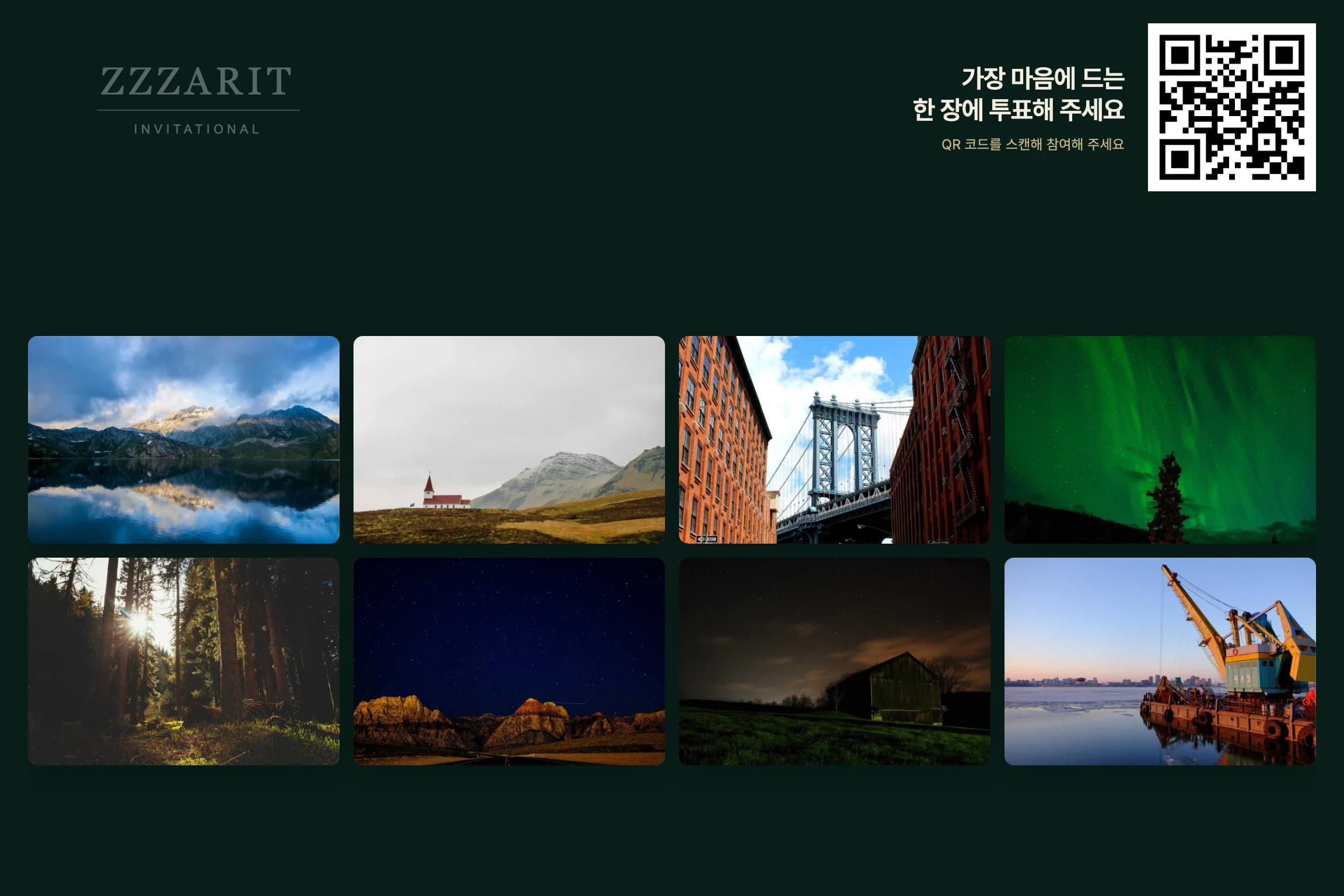
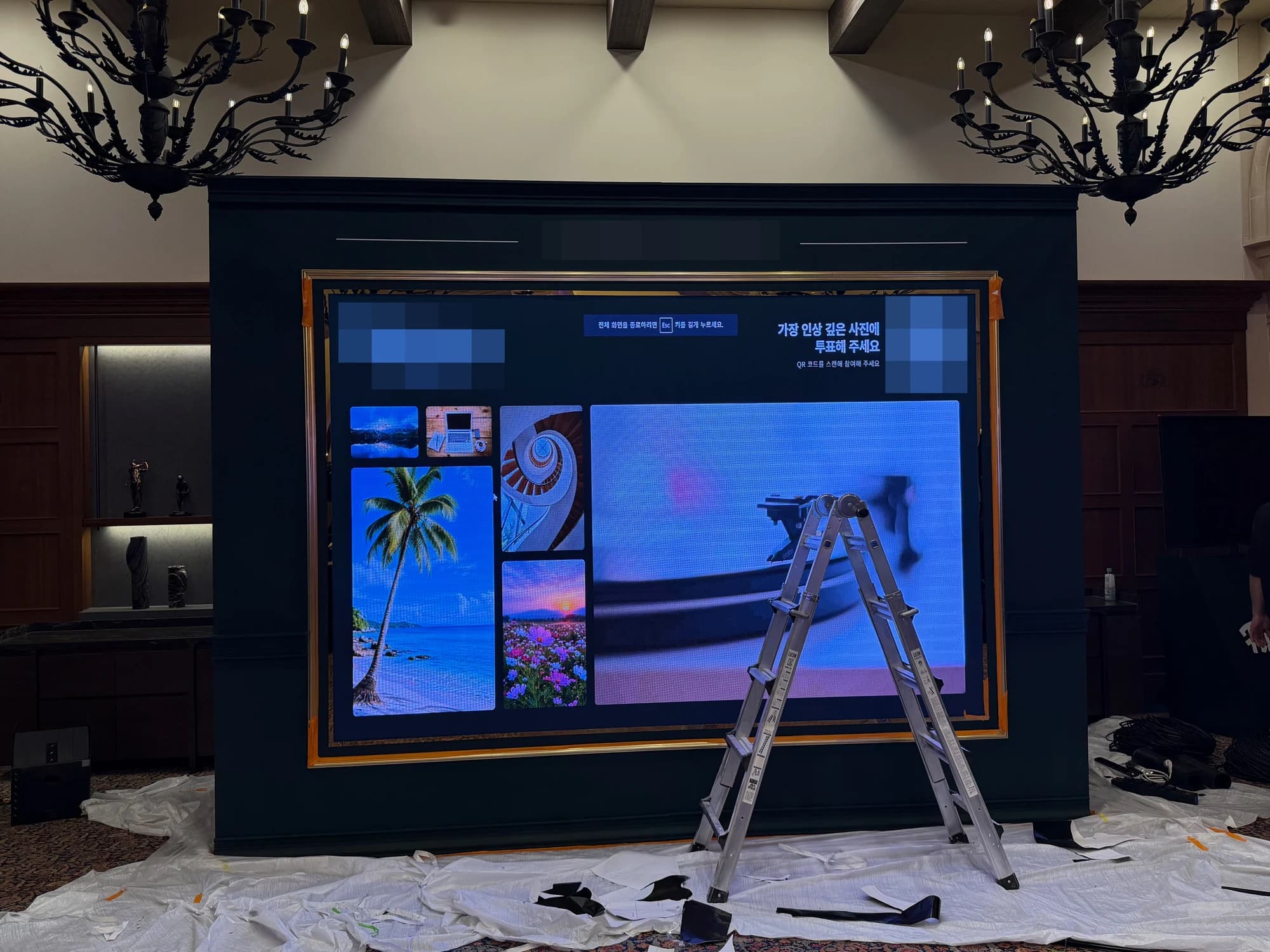
The original scope covered the rear display. On site, we received an urgent request for an additional front-facing gallery so guests could view photos during the meal. We developed the extra display screen and put it into use at the venue.
The sample UI below shows the two purposes: the front display presents photos at 2048×896 without a QR code, while the rear display combines photos and QR participation instructions at 1152×768.
Admin tools and results
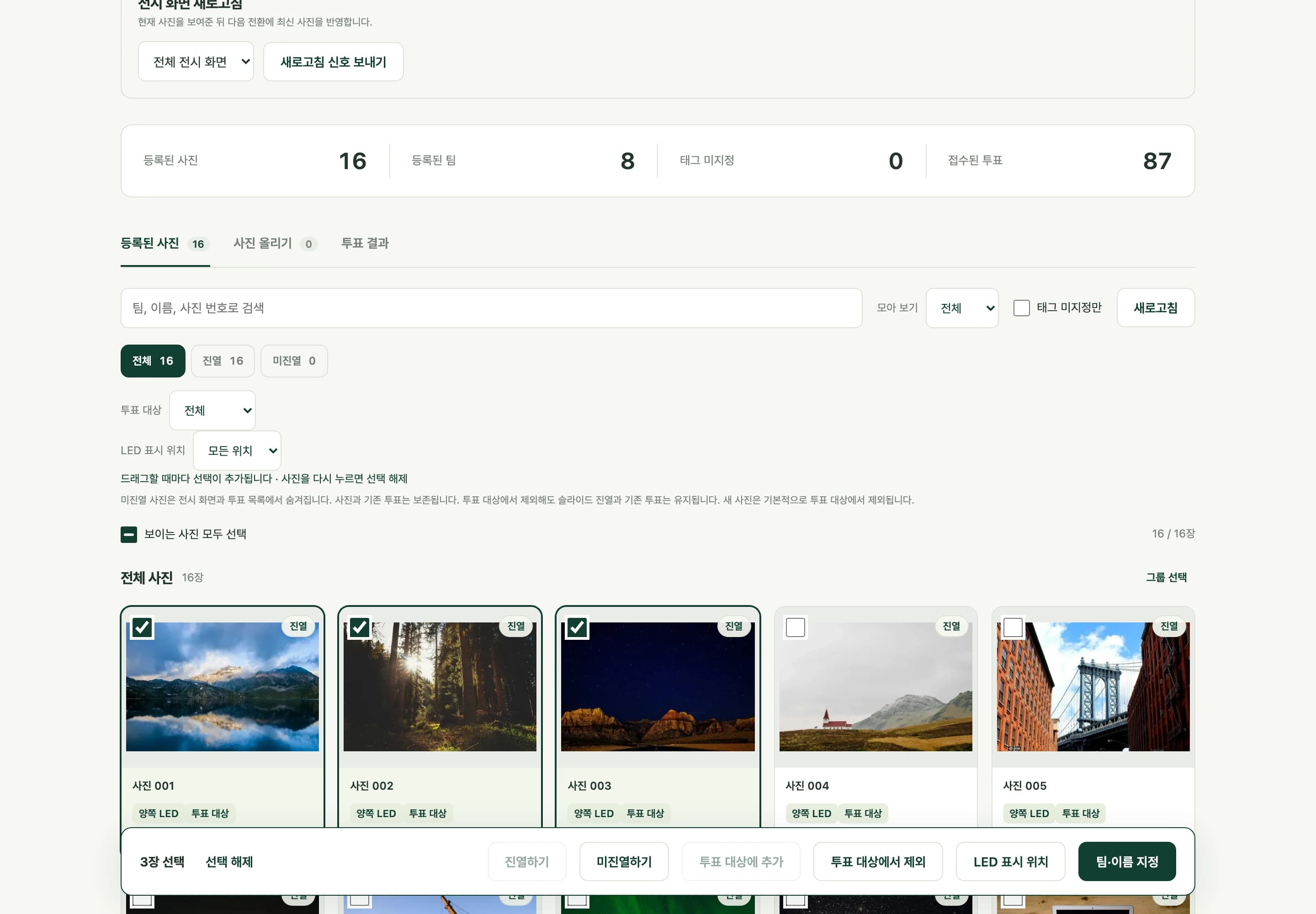
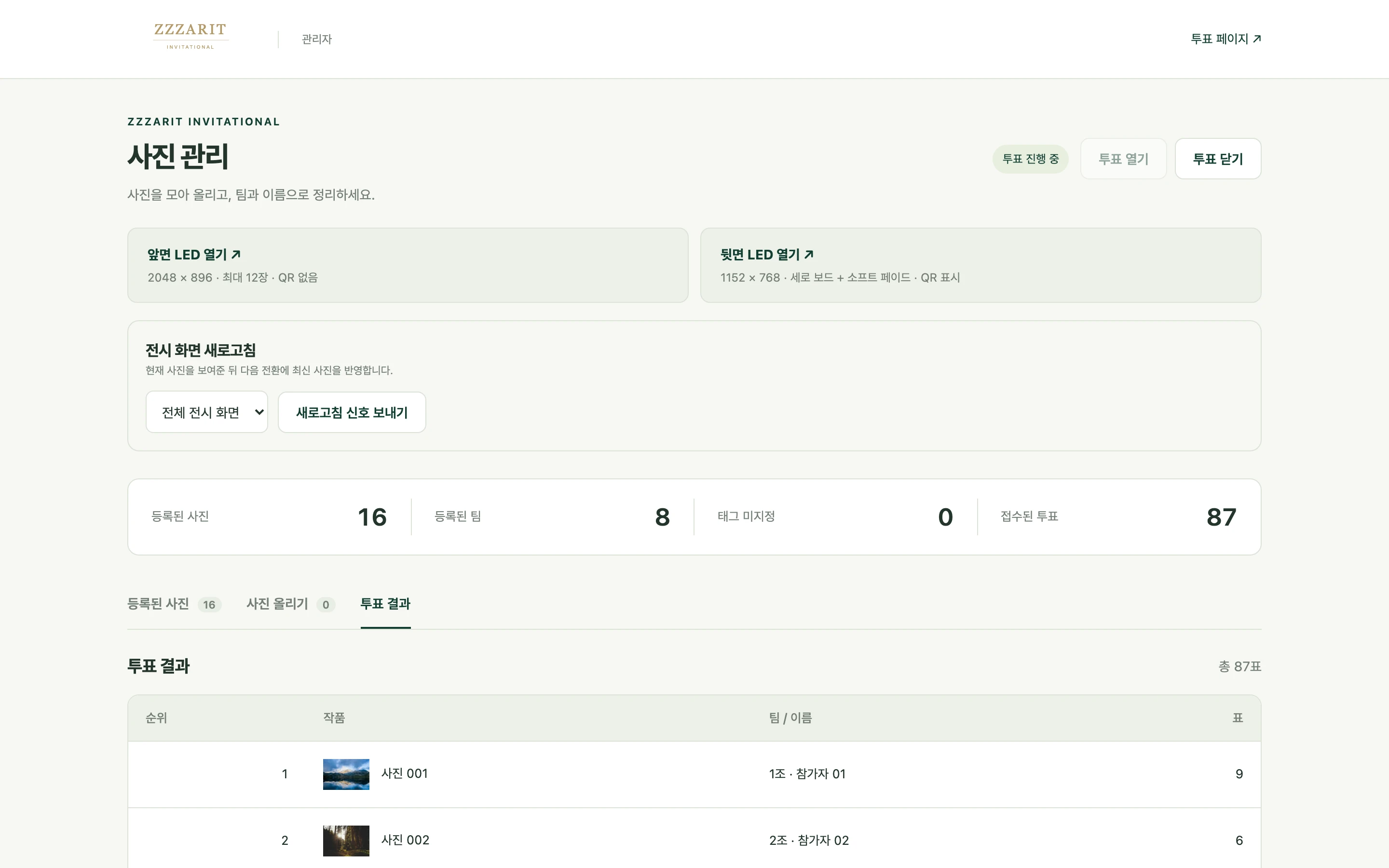
Admins can upload photos in batches and search by team, participant, or photo number. Display status and voting eligibility are separate, so a photo can appear in the gallery without receiving votes. The same admin interface assigns photos to the front, rear, or both LED screens, opens or closes voting, and shows results.
On-site development and delivery scope
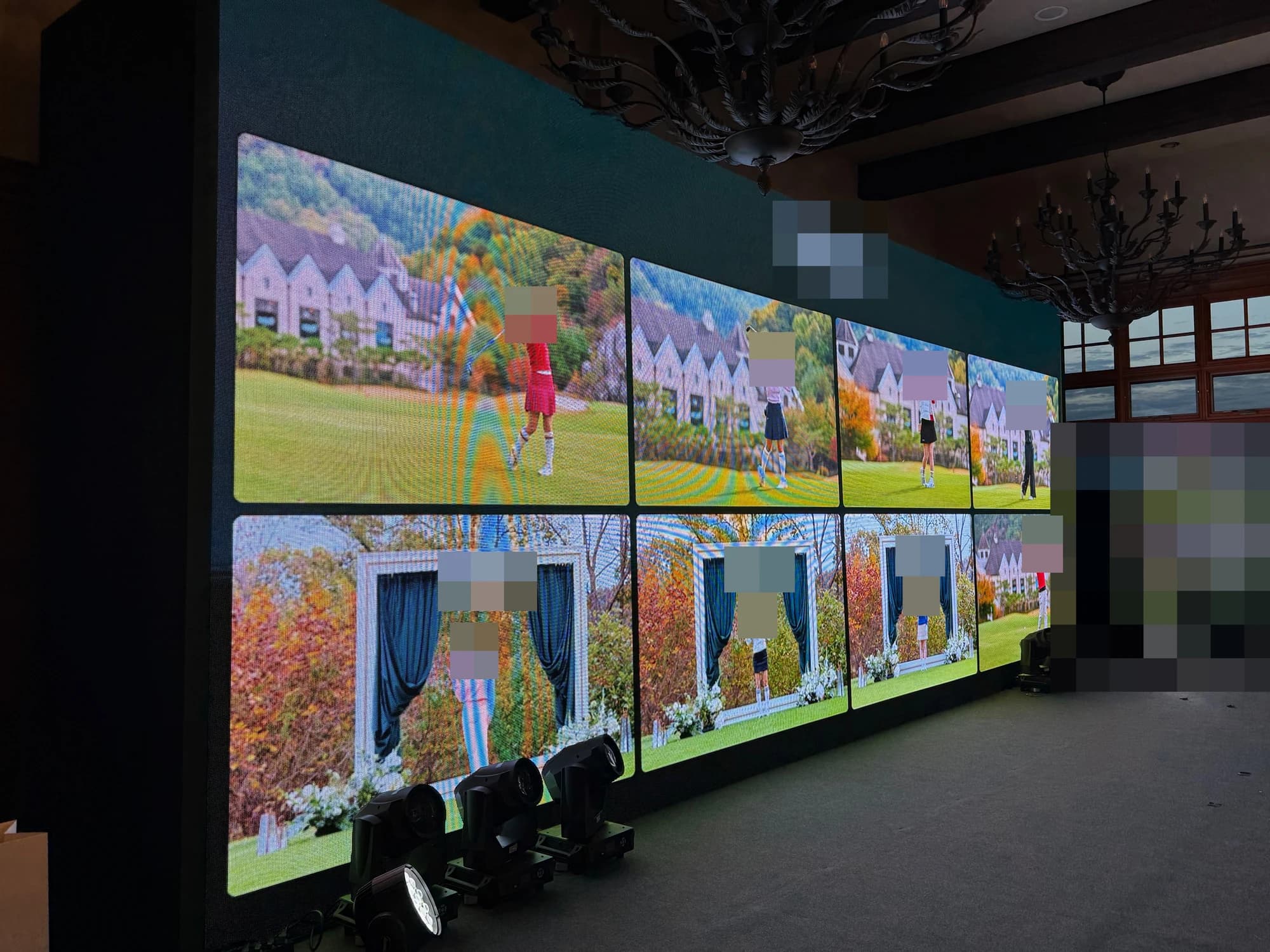
Lighting fixtures along the bottom partially obstructed the screen, and display sizes and aspect ratios changed on site. We adjusted the screen dimensions, aspect ratio, and visible area around the obstruction, making the necessary software changes at the venue.
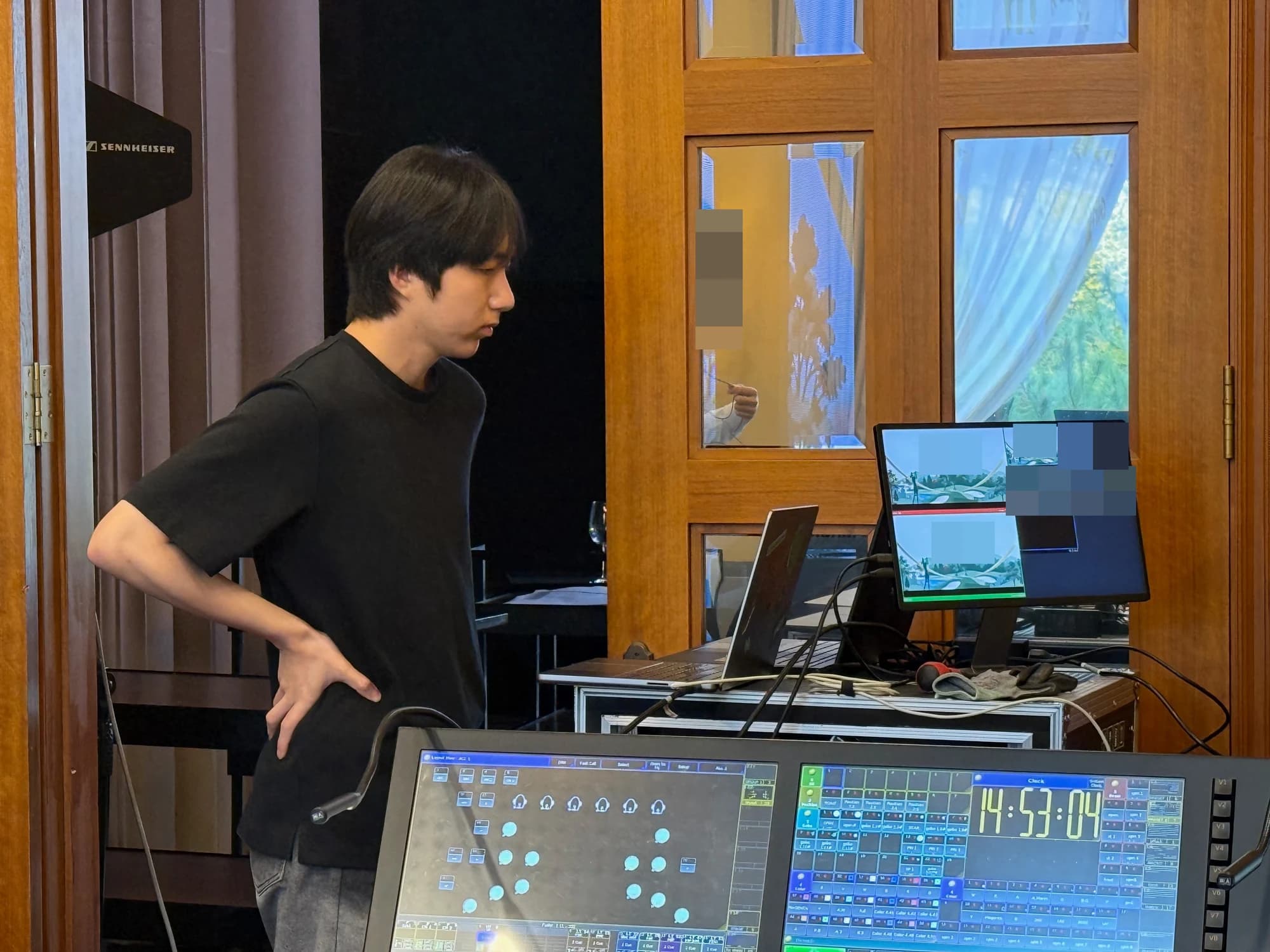
Alongside running the photo display and monitoring the output PC and screens, we revised the software to meet the venue conditions and additional requests. Expanding the original rear-screen setup with a front-facing gallery for guests during the meal was part of that on-site response.
- Photo upload, gallery, and slideshow software
- Mobile photo selection and QR voting pages
- Operating PC, output setup, on-site screen adjustments, and development of an additional front display
- Vote monitoring and results-data delivery
Scoping a similar setup
Confirm photo collection, display ratios and output equipment, voting rules, authentication and duplicate-vote controls, and internet conditions to define the software and operating scope.
FAQ
Did zzzarit install the LED hardware?
No. zzzarit handled software, display-output setup, and on-site operations; the organizer separately arranged the LED hardware, processor, installation, and removal.
Is the sample data shown in the UI from the actual event?
The UI images show the actual software populated with a sample event name, photos, and participants. Numbers in the admin results are demonstration data.
Are event photos and participant details published?
Field photos were taken at a private event; faces, event marks, and name cards have been anonymized.