
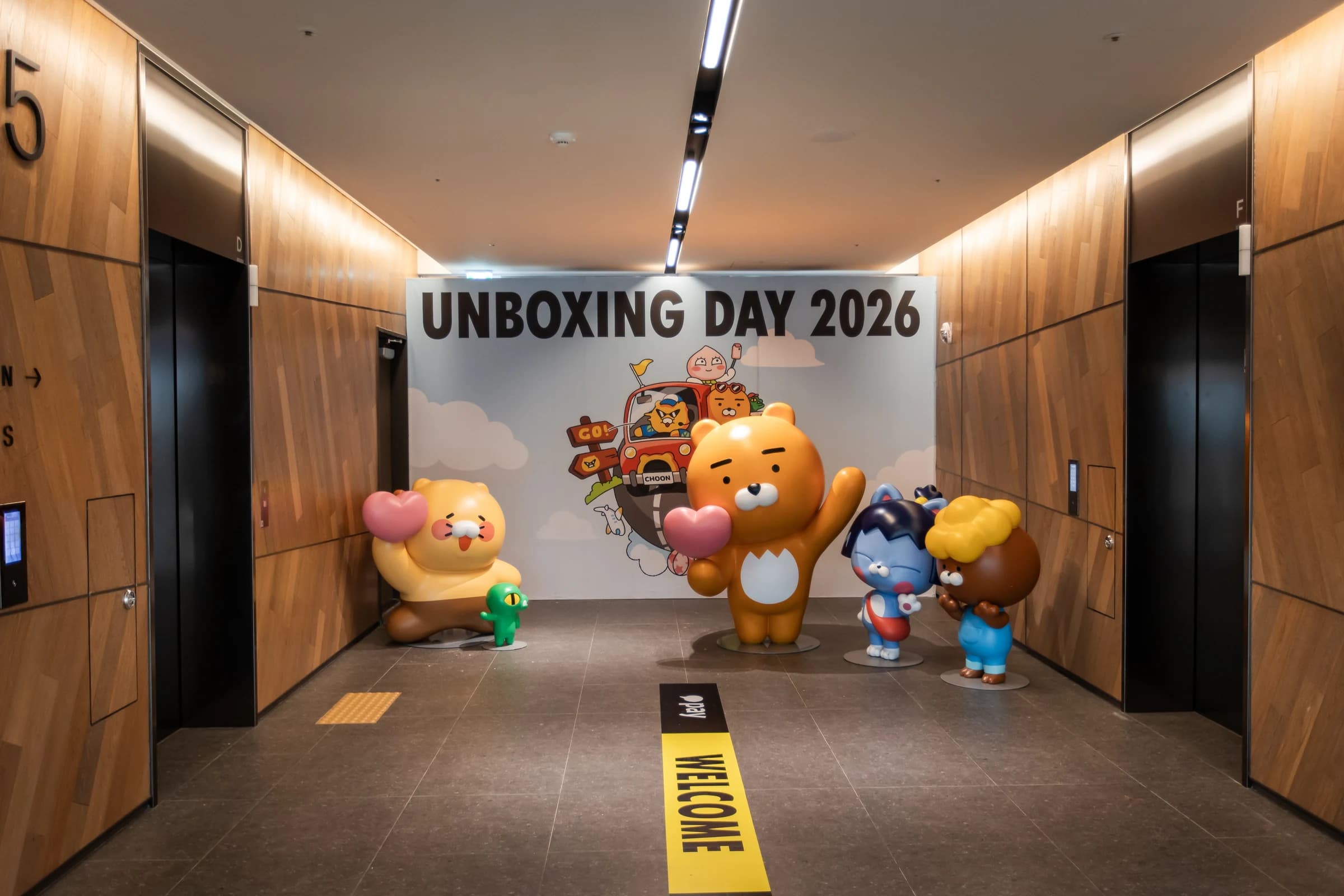
31 programs and six amenities. Eleven bookable programs and 20 walk-in activities.
Pre-entry bookings. Entry releases the team limit while used session capacity is retained.
Software changes and equipment and operational checks at the event.
Event rules had to work across team check-in, activity reservations, calls and entry, and a quiz with a physical reward.
We developed QR check-in and NFC badges, the guide and booking and PDA tools, and the quiz with receipt printing. Three developers investigated and applied changes on site.
For Kakao Pay Unboxing Day 2026, ZZZARIT built the software participants used to check in, reserve activities and enter when called. We also created a kiosk on the 10th floor where a quiz result was printed as a receipt that could be used to play a claw machine. Three developers joined the event on site. Our work continued after delivery: we investigated requests during operation, updated the software and checked the equipment and participant journey.
The delivery had three parts: QR check-in and NFC badges connecting preregistered information to arrival; a guide, booking and calling system for locations and activities across the venue; and a kiosk that turned quiz results into a physical reward ticket. Check-in and booking used the same team record from reception through program entry. The quiz kiosk was developed as a separate activity, distinct from that team-information flow.
37 locations, with different ways to participate
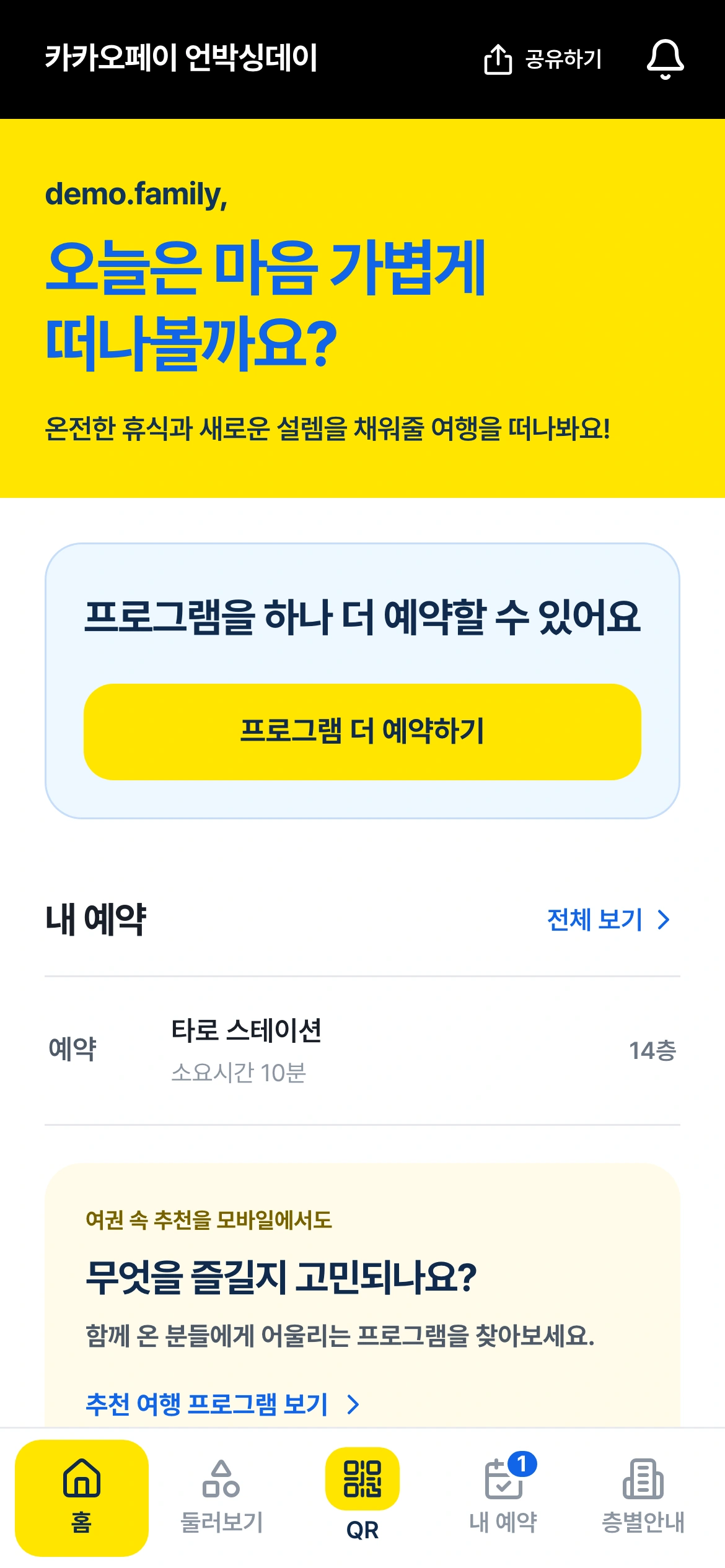
The location guide covered 37 spaces: 31 programs and six amenities. Of the programs, 11 required booking and 20 were walk-in activities. That distinction shaped the booking interface. Placing a booking button on every location would leave participants asking where a reservation was actually needed. We put discovery and reservation in the same mobile experience, while connecting the booking flow only to programs that used it.
Participants needed to see where an activity was and how to join. Staff needed current bookings and calling status. Even when both sides referred to the same program, their decisions were different: participants chose what to do next; staff prepared to receive the next team. We developed a mobile page for participants and a PDA interface for staff, connecting reservation and entry states to the way the event was operated.
The number of locations alone does not describe the software scope. We had to distinguish bookable and walk-in activities, define how many bookings a team could hold and manage capacity for each session. Programs with age restrictions used age information supplied during preregistration to apply participation eligibility. A substantial part of the work was making the event rules appear consistently in the interface and in the operations it performed.
Connecting the arriving team to an NFC badge
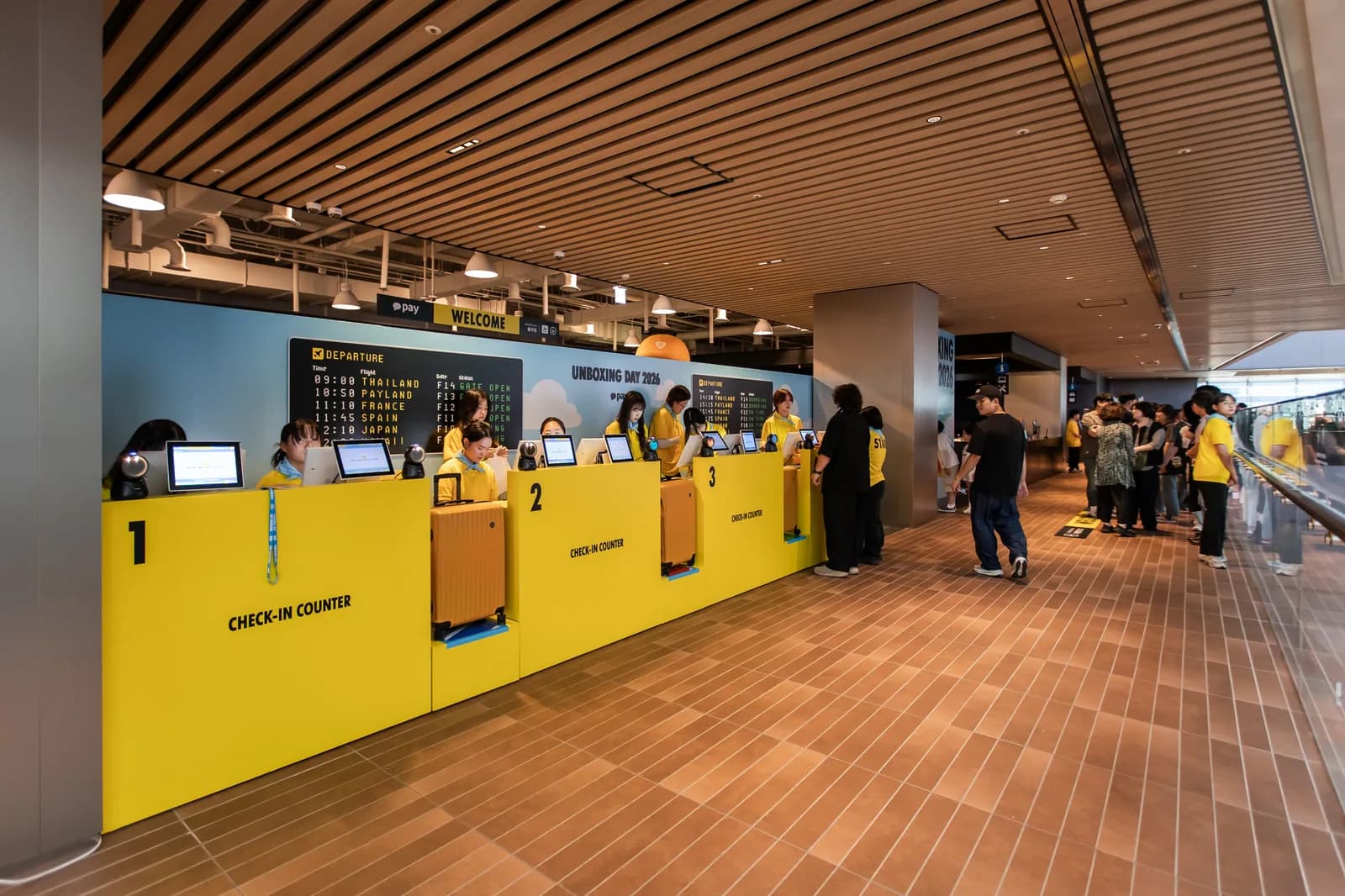
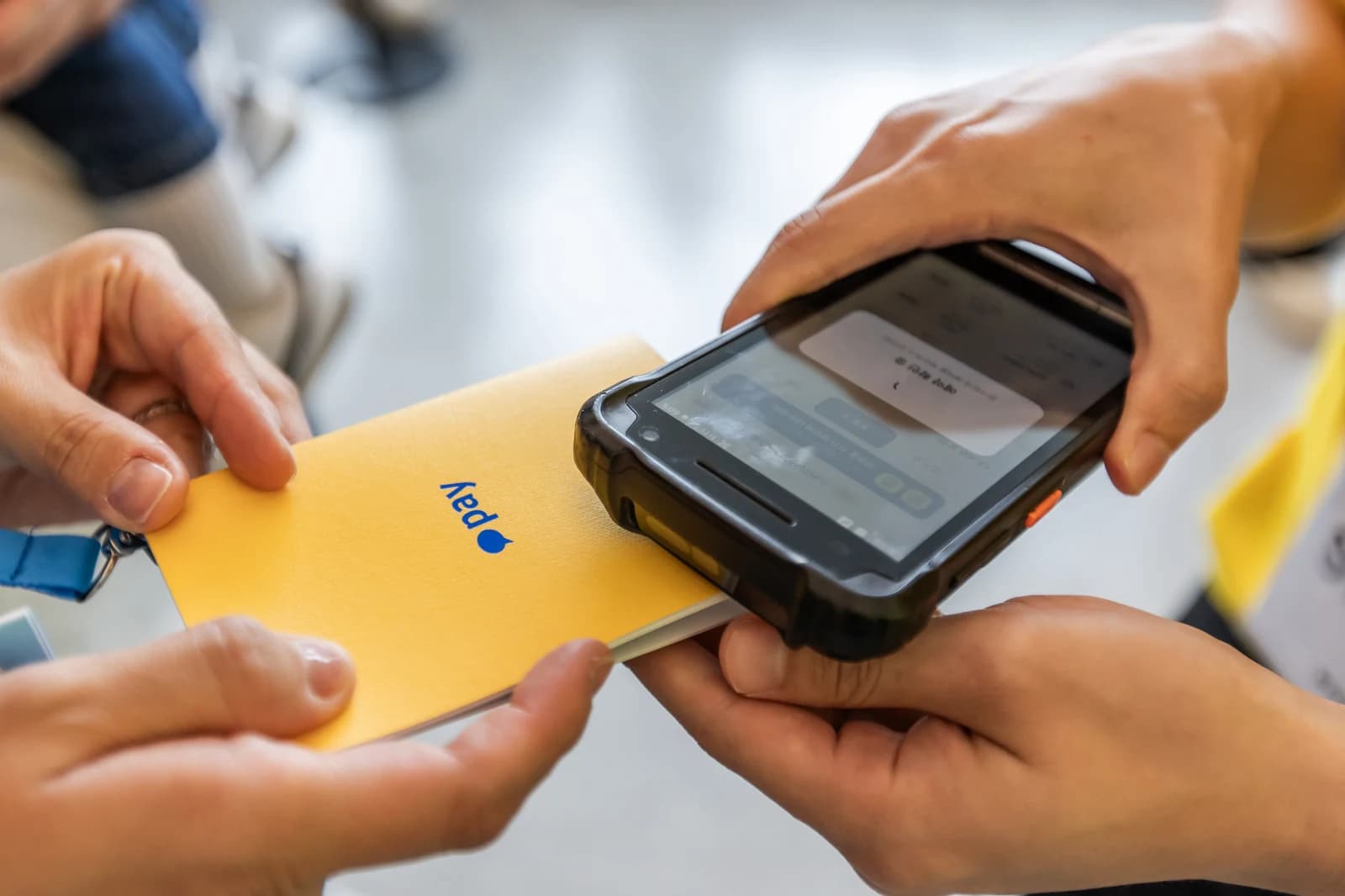
Check-in began by scanning the QR code presented by a participant. Staff found the preregistered team, checked the number of people attending and applied any necessary changes. They then read the NFC badge used by the team representative, associated it with the team and completed check-in. Finding the registration and linking the badge formed one workflow, so the team verified at reception could be found again at a program entrance.
The badge represented the team. Its unique NFC identifier was associated with the team record in the system. When the same badge was tagged at a program, staff could retrieve the team and its reservation. The design let participants continue with the mobile page and badge instead of returning to reception to establish their team identity for every booking, and gave staff a way to identify a team beyond its name alone.
Reception had separate staff-facing and participant-facing screens. Staff needed the roster, headcount and processing state; participants needed an interface showing the stage they were at. We gave the two screens distinct roles within the same reception workflow, from QR lookup to NFC association. The QR check-in and NFC badge article covers the screens and badge-linking process in detail.
Hold two bookings, then choose the next activity after entry
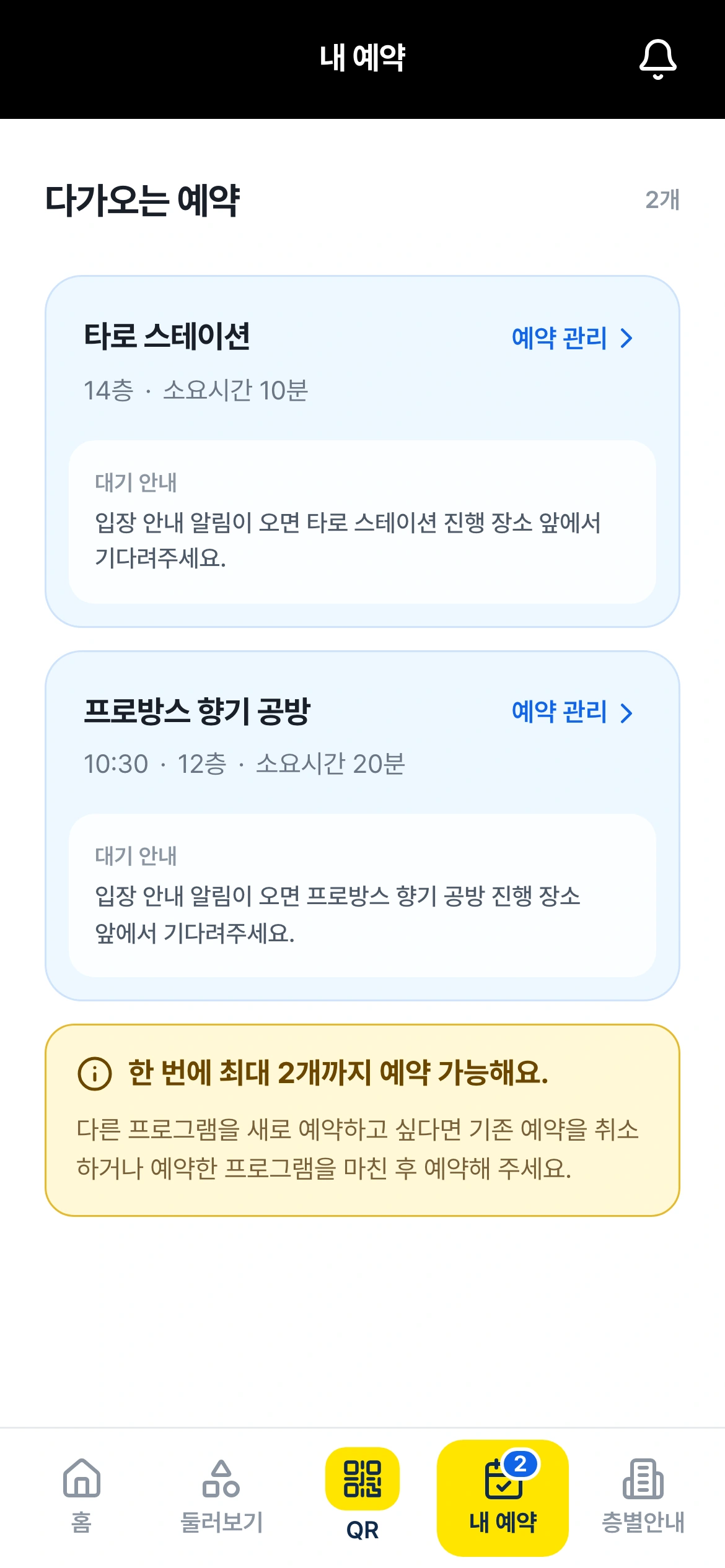
A team could hold up to two reservations before entry. Participants could plan activities ahead, but could not keep accumulating unused bookings. When multiple programs run at the same time, allowing one team to hold many places reduces the choices available to others. We applied the booking limit at team level and connected it to actual entry processing, which released room for the team to make another reservation.
The team booking limit and session capacity were managed separately. Once a team entered a program, that reservation no longer counted toward its two pre-entry bookings. But the places already used in that session did not become available again. The team regained the ability to choose another activity while the session retained its consumed capacity. A change that looks like a simple counter on screen had to respect both the team rule and the program rule.
We also tested what happened when multiple teams attempted to book the last available place. Being able to press a button and successfully securing capacity are different things. The two-booking limit was checked under overlapping requests as well. These checks addressed operating conditions beyond a single successful booking on screen. We checked that requests arriving together respected already secured places and team limits, so the interface guidance and actual booking result remained consistent.
Staff PDA calls and participant NFC tags
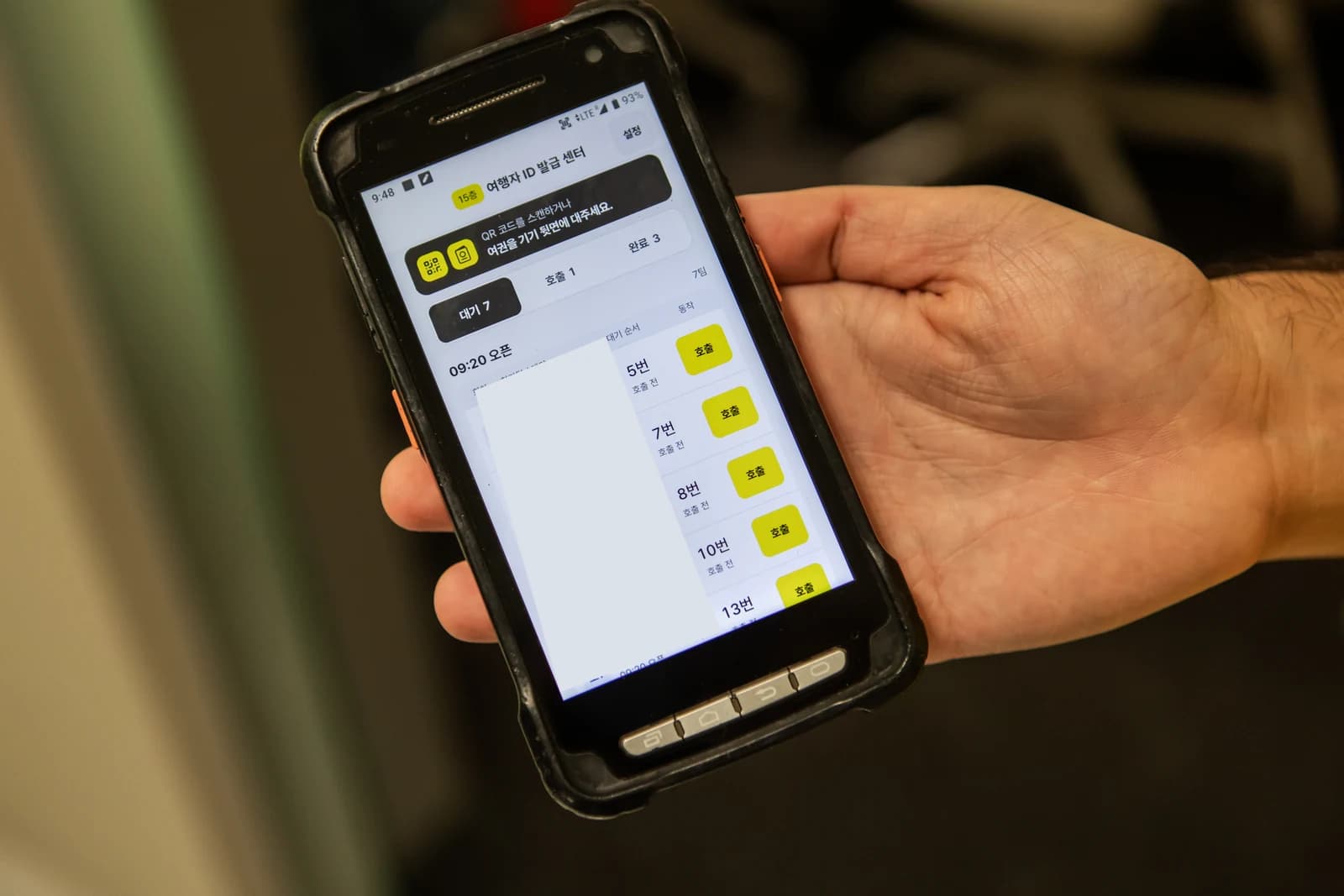
Program staff received PDAs. They could review waiting teams, teams already called and teams whose processing was complete. The interface also supported recalling a team, deferring its place in the queue and making a booking on its behalf. Live operations do not always follow the initial order, so staff needed to handle exceptions in the same tool they used to call the next team.
When the called team arrived, its representative tagged the NFC badge. The tag retrieved team and reservation information; staff then verified the team and confirmed entry. Reading a badge and recording program entry were separate actions, preserving the staff check of the team that had actually arrived. This connected the reservation record to the people standing at the program entrance.
The operating tools included entry confirmation and correction, as well as retry handling for a lost network response. We accounted for staff trying an action again while waiting for a response with a participant in front of them. The delivery combined a participant booking page with the staff operating interface. The booking and PDA operations article explains how capacity, reservations, calls and entry confirmation change through that process.
The 10th-floor quiz continued onto a printed receipt
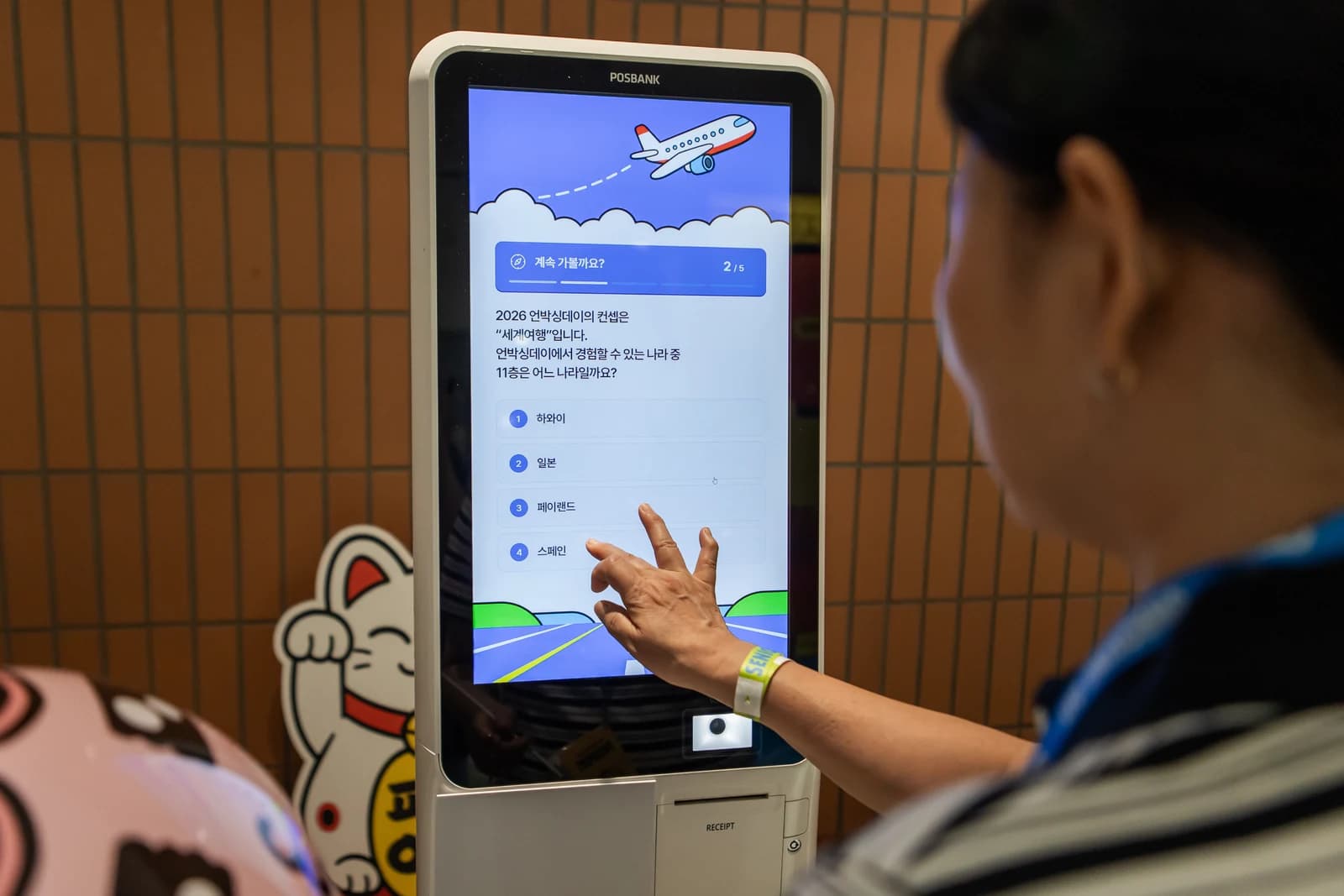
We built a separate quiz kiosk on the 10th floor. Participants answered five questions on a touch screen, received correct-or-incorrect feedback, reviewed the result and printed it with an 80 mm receipt printer. The receipt served as a coupon for the claw-machine activity. Because the digital quiz had to lead into a physical reward experience, we developed the result screen and printed output together.
The kiosk needed question screens, feedback for each answer, a result screen and a printing step. A completion message on the display could not itself provide the object needed for the next activity. Participation ended when the visitor could collect the printed result. We developed both the interactive quiz and its output flow so the experience produced a physical ticket that could be presented at the claw machine.
Check-in and booking managed movement and entry across many participants. The quiz kiosk focused on the interaction of one participant at the screen. We built these distinct systems for the same event, with different operational roles. The quiz and receipt-printing article shows the start screen, questions, results and receipt layout alongside photographs from the event.
Checking venue connectivity and real entry paths before opening
On-site support did not begin on the event day. Preparation included checking venue connectivity and conditions across floors on September 2. Participant phones, reception equipment, staff PDAs and kiosks occupied different locations. Alongside checking that screens worked in the office, the preparation had to account for the floors and devices where those workflows would actually run.
The destination opened by a QR code was part of the actual user journey. Recognizing the code was only one check; participants also needed to arrive at the screen where they could reserve an activity. Feedback identified confusion between a preview and the live booking experience, which we addressed. The QR destination was also verified on September 13. Our development work included the path from the first sign participants encountered to the reservation interface.
Three developers investigated and updated the software on site
Three ZZZARIT developers were present at this event. This is the staffing record for this project, not a standard staffing level for other events. They handled interface changes and investigated the situations in which participants and staff experienced friction. At a live event, a feature is experienced together with its wording, the queue and the condition of the device. Having developers there let them inspect that context, choose a change and confirm its application with the operating team.
On September 12, a request asked us to change the reservation status wording from “Booking unavailable” to “Booking closed.” The request was recorded at 09:52:53 and confirmation at 10:14:23. This is one documented case where request and confirmation were about 22 minutes apart. A participant can read a system being unavailable differently from a session being fully booked. We reflected that distinction in the live interface.
Support also covered preview-versus-booking confusion, QR destinations and notification records. The team responded to PDA battery issues and followed up on NFC behavior, tasks that cannot be explained by interface code alone. We checked the devices and operating context together, then shared what had been verified so the event team could decide its next step. These records describe the practical work behind on-site software support.
Building the event rules into software that could be used on site
The breadth of features is only part of why we are presenting this as a major case study. We connected a team verified at reception to program entry, handled the two-booking rule separately from session capacity, and gave staff tools to call teams and confirm their arrival. On the 10th floor, we made quiz results produce a physical participation ticket. Each part was implemented around the operating model established for the event.
The guide, reception screens, PDA and quiz interface looked different, but each needed to help a person take the next action. Participants moved according to their reservation status; staff verified arriving teams and ran their programs. Our developers aligned the information and states between those actions and changed what needed to change during operation. This project combined software designed for the venue with development support at the venue.
For a similar event, defining which programs require booking, whether participation is tracked by team or person, how teams are called and how entry is confirmed helps make the development scope concrete. See the basic options for activity booking, NFC event systems and event kiosks. Before a discussion, gather session capacities and eligibility rules, individual or team participation units, the floor layout, and available equipment and connectivity. The screens, booking rules, equipment quantities, operating days and on-site support scope are conditions to review when defining the configuration and quote. Discuss your event using this case as a reference.
What the project owner said
Real client feedback with its connection to this case and publication scope confirmed.
“I thought they would come as staff, set things up and be done. Instead they stayed on site the whole time, worked in what the client said along the way, and kept raising the quality to the very end. It cost about the same as bringing in part-time staff, but there were no errors, so we will work with them again.”
FAQ
What did ZZZARIT develop for Kakao Pay Unboxing Day 2026?
We developed QR check-in and team representative NFC badge linking, a 37-location guide with booking, PDA calling and entry confirmation for 11 bookable programs, plus a five-question quiz and receipt-printing system on the 10th floor. Three developers handled changes and equipment and operational checks on site.
Did all 37 locations require a reservation?
No. The 37 locations comprised 31 programs and six amenities. Eleven programs were bookable and 20 were walk-in. The guide distinguished locations to discover from programs to reserve.
How many reservations could a team hold?
A team could hold up to two pre-entry reservations. After program entry was confirmed, that reservation left the pre-entry count and the team could book another activity. Capacity already used in the session remained consumed.
How were age-restricted programs handled?
Participation eligibility was applied using the age information supplied during preregistration. This operated alongside session capacities and the team booking limit.
What did on-site development support include?
Three developers handled wording changes, preview-versus-live-booking confusion, QR and notification-record checks, PDA battery response and NFC follow-up. The approximately 22-minute figure refers to one wording request on September 12, from request to confirmation, and is not an average or guaranteed response time.
Explore the Kakao Pay Unboxing Day series
Registration & QR check-in
Built QR check-in and team-representative NFC badges for team identification and entry, not contact-exchange networking.
View details →Booking, waiting & calls
Built guidance for 37 locations and booking for 11 programs, with team limits, capacity and age rules, PDA calls and entry checks.
View details →Event experience kiosks
Built the floor-10 quiz and 80mm receipt-result printing, with on-site technical support.
View details →QR check-in and NFC badges
Connecting reception to program entry
View details →Booking and PDA operations
Booking limits, session capacity, calls and entry
View details →Quiz and receipt printing
From five questions to a claw-machine ticket
View details →Discuss your event operations
Define locations, reservation rules and on-site support together.
View details →Get a quote from this setup
Zzzaritbot starts from what we delivered here and works out the scope with you.
View details →