
31 programs and six amenities. Eleven programs required reservations.
Applies before entry. Confirmed entry restores allowance for another booking.
Experiences across multiple floors needed one guide plus control over advance bookings, session capacity, age eligibility and actual arrivals.
We linked mobile booking and staff PDAs, using NFC to retrieve each team before staff confirmed entry, with separate handling for booking allowance and consumed capacity.
For Kakao Pay Unboxing Day 2026, ZZZARIT developed a system that connected a guide to 37 locations across 10 floors with experience reservations, staff calls and entry confirmation using NFC badges. The guide covered 31 programs and six amenities. Eleven programs required reservations, while 20 accepted walk-in participation. Participants used their phones and staff used PDAs to follow the same reservation from their respective positions.
The event ran on September 12 and 13, 2026, with morning and afternoon sessions on each day, making four sessions in total. Different experiences took place simultaneously on multiple floors. We designed the information each person needed from choosing a program to receiving a call and entering. This article explains the reservation limits, capacity rules and staff tools behind that process.
Guide all 37 locations, distinguish the experiences that need booking
A large location guide cannot simply put the same booking button on every item. Some programs needed reservations and capacity control; others accepted participants directly on site. Amenities also needed to be easy to find. We combined location information and booking while keeping participation methods distinct, so participants could understand what action was available for each item.
The number 37 refers to all locations in the guide. Eleven programs accepted reservations. Keeping these numbers separate explains the actual scope: participants could explore the event as a whole, then review sessions and eligibility where booking was required. Staff could focus reservation management on the programs that needed it without treating walk-in spaces as booked activities.
Two active reservations per team, with room to choose the next experience
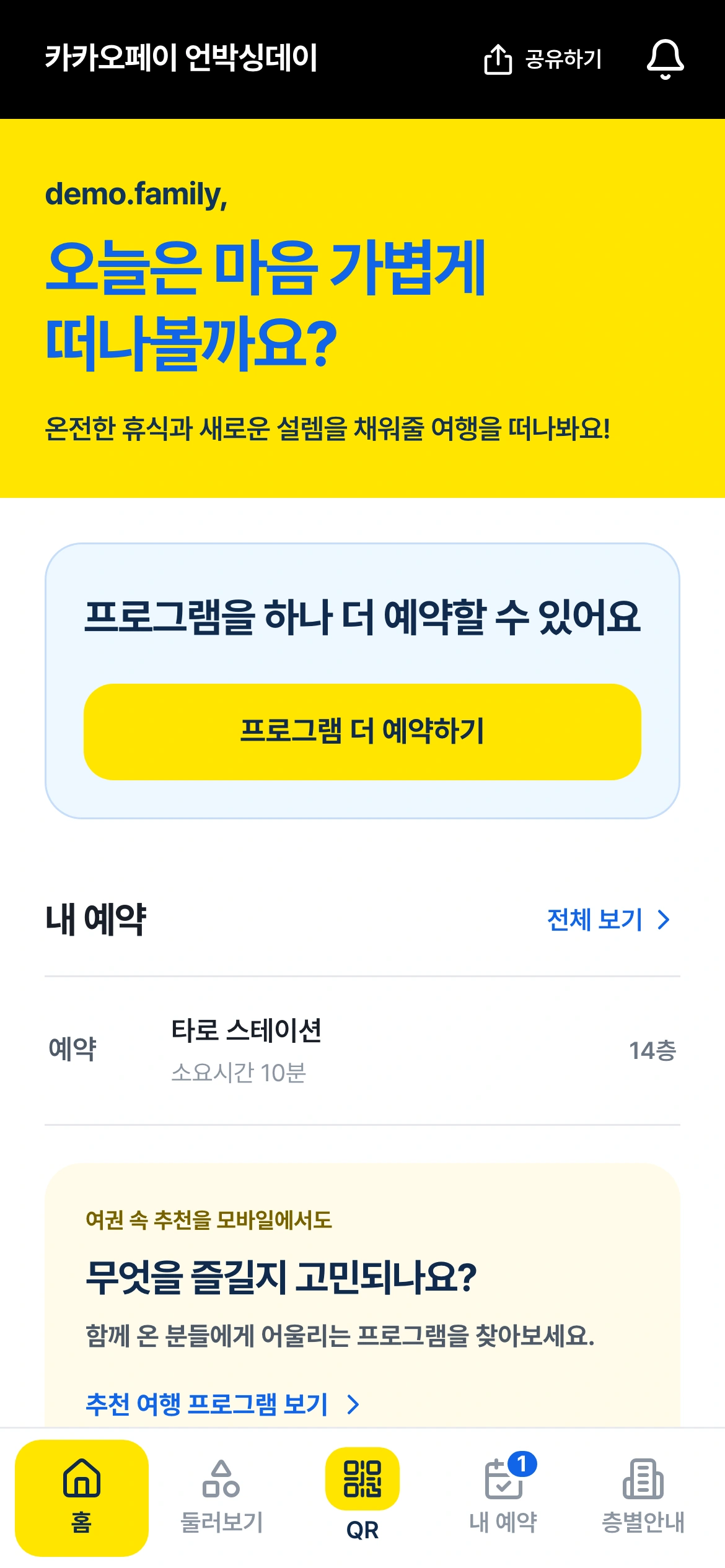
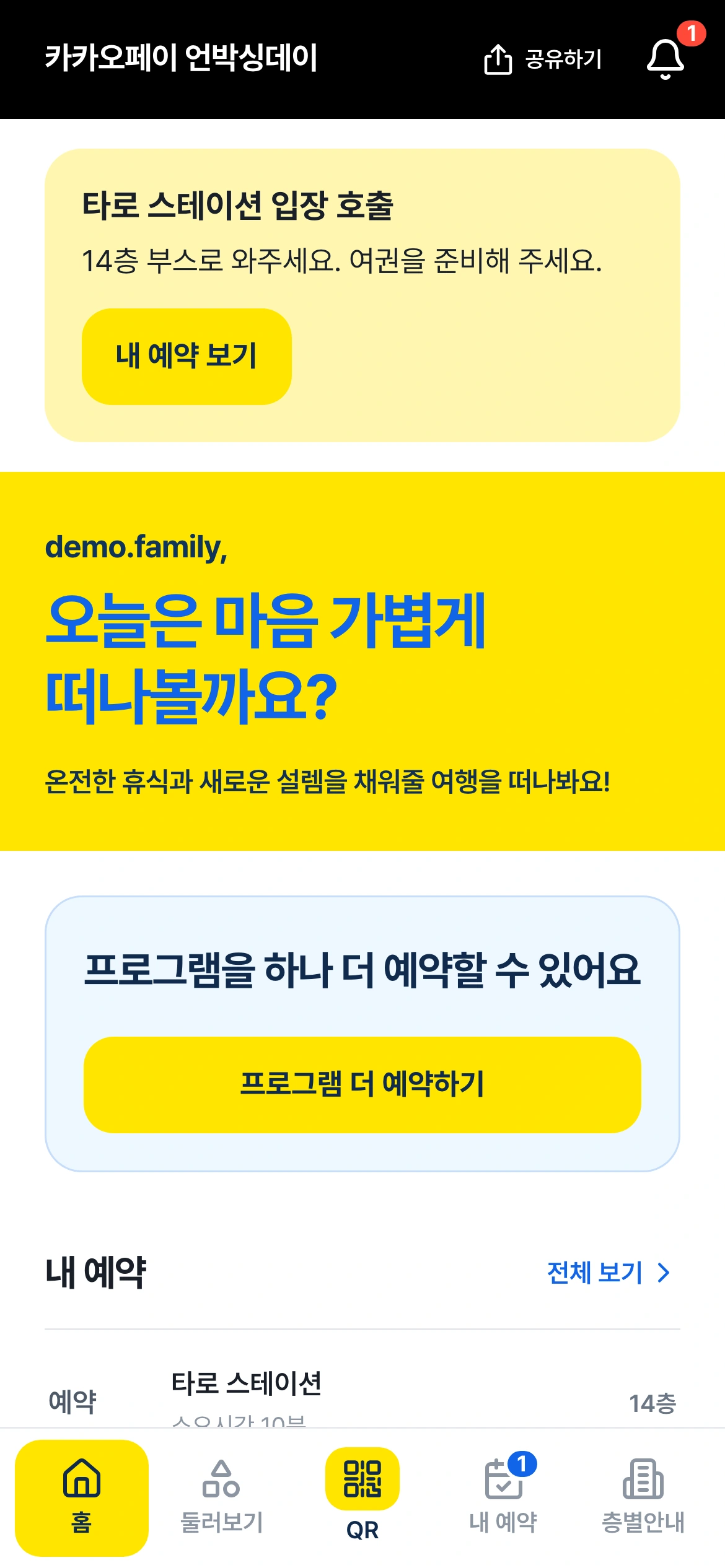
The limit was two active, pre-entry reservations per team. This was not a limit of two experiences for the entire event. It meant a team could hold up to two reservations that had not yet been checked in. When the team arrived and a staff member confirmed entry, that reservation moved to completed status, freeing an allowance for another booking.
For example, a team holding two reservations could not add a third. Once staff confirmed entry to the first program, the team could choose one more. Participants could plan ahead, while the system limited how many unvisited experiences a team could reserve at once. The rule was enforced by the booking behavior itself, rather than left solely in an instruction notice.
Some restrictions needed to apply across floors. For photo booths, the system blocked duplicate bookings by the same team even when the booths were on different floors. A check made only against each individual location could miss that condition. Looking at the team’s existing bookings kept the floor-level guide consistent with the event-wide participation rule.
Booking allowance and session capacity follow different rules
A team needed to be able to book again after entry. But the space it had just used in that session must not become available for another booking. We separated a team’s booking allowance from a program session’s consumed capacity. Entry completion restored the team’s allowance while preserving the capacity already used in that session.
Capacity was released when a reservation was canceled before entry. That unused place could then be booked by another team. Completing an entered reservation did not have the same effect. When a system handles both participation records and available capacity, this distinction directly affects how many people a session accepts. Completion and cancellation therefore changed different counts.
We also checked what happened when several teams requested the last available place. Seeing availability on a phone does not prevent another team from booking it first. Accepting every request based on what each screen previously showed would oversubscribe the session. The confirmation path checked remaining capacity and the team’s allowance, and we tested it under concurrent requests.
Apply each program’s age conditions during booking
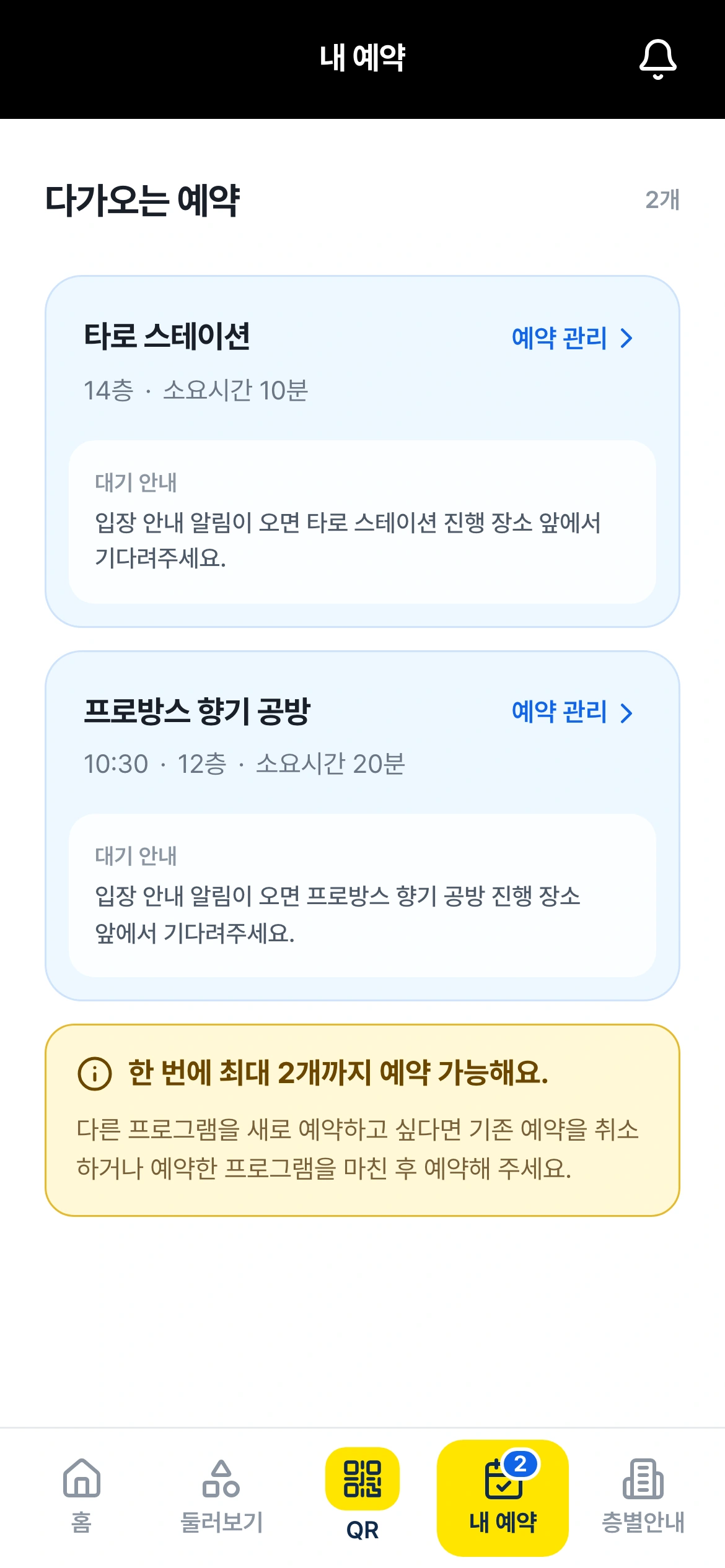
For age-restricted experiences, eligibility used the age information entered during preregistration. Participation was not permitted when the applicable conditions were not met. This design aimed to reduce cases where staff first had to explain an age restriction after meeting a team with a booking. The system checked the conditions defined for each program.
The participant screen also explained the eligibility conditions for each program. The massage program, for example, stated that it was for participants wearing a SENIOR wristband. The application-based eligibility rule and the guidance used at the booth belonged to the same program. Visitors could check who the experience was for while choosing a booking, and staff could use that same guidance when the team arrived.
Give staff actions for what happens after a call
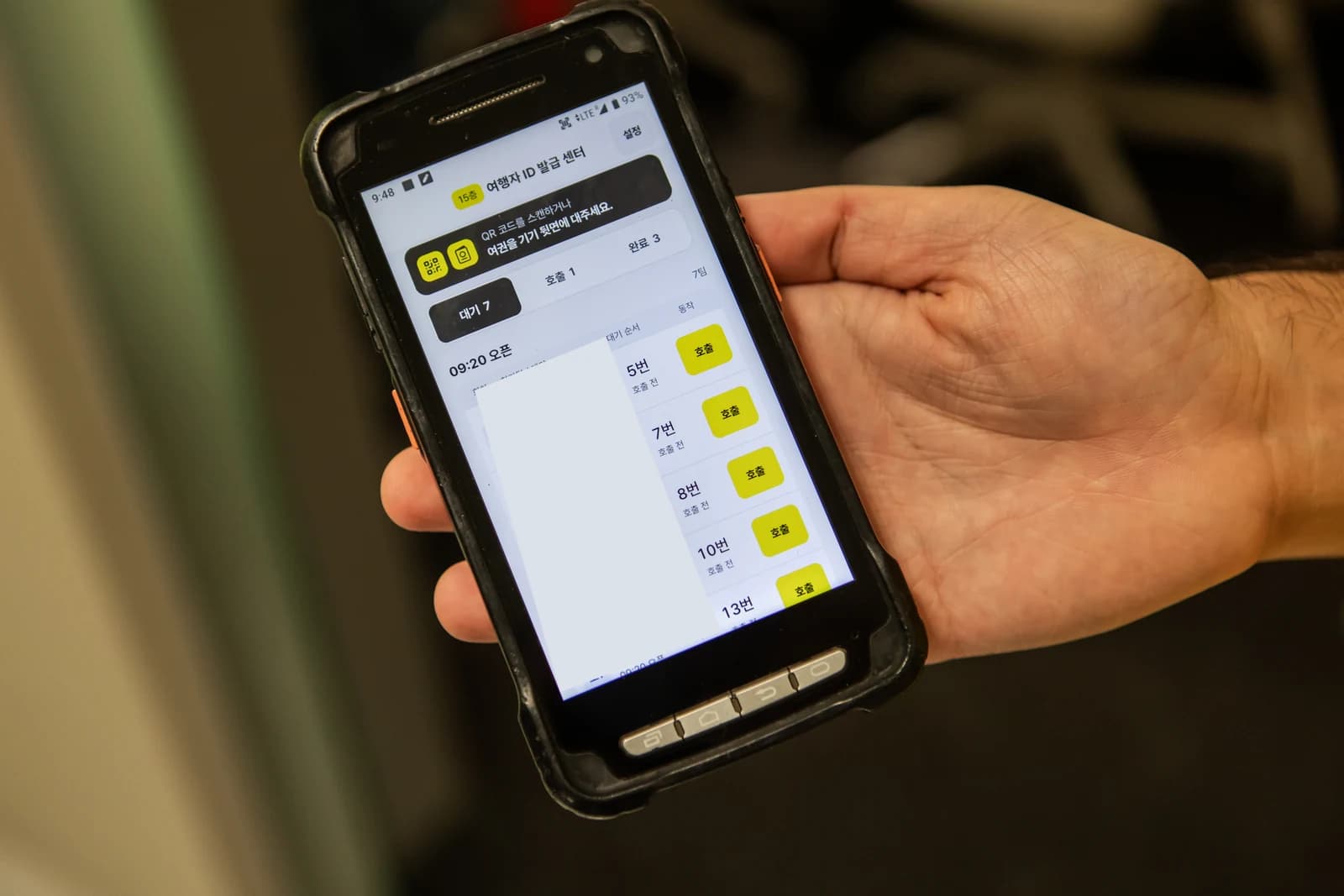
Staff received PDAs with separate views for waiting reservations, called reservations and completed entries at their assigned program. Work did not end when someone pressed a call button. The tools also exposed the call time, supported repeat calls and let staff postpone a team’s turn when its arrival situation required it.
Postponement was limited to twice. Staff had a way to respond to circumstances without leaving reservations in an endlessly postponed state. The participant’s reservation view and the staff lists were connected, with called teams distinguished from teams already admitted. Keeping the call and the arrival as separate events also kept their records distinct.
Staff could also make reservations on a participant’s behalf when assistance was needed. Entry corrections were included for cases where an admission had been recorded incorrectly. An interface that only supported the ideal sequence would leave staff without a way to handle questions and mistakes during the event. The queue tools were built around the actions staff actually needed.
Find the team by NFC, record entry through staff confirmation
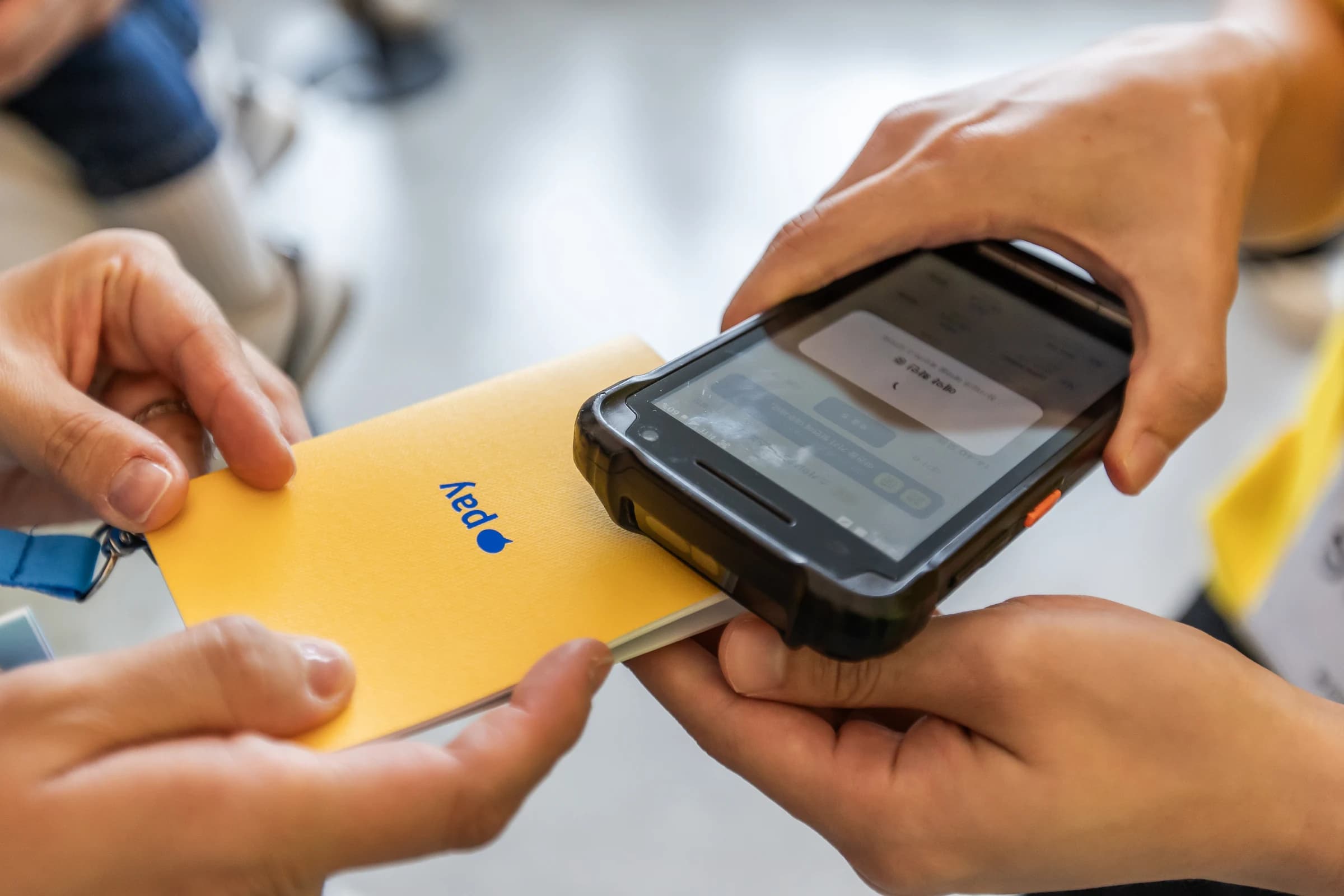
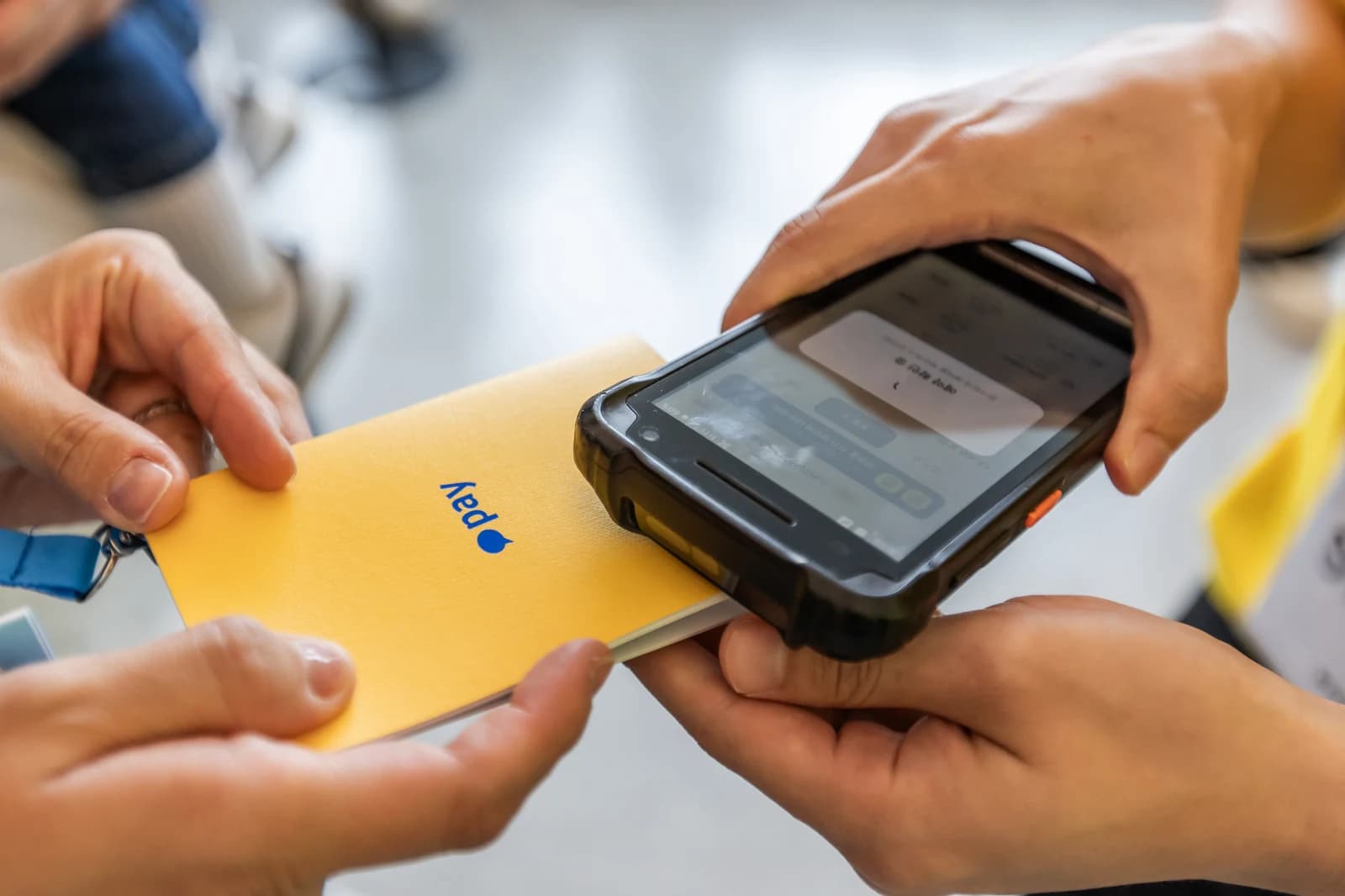
Arriving teams used the NFC badge linked at check-in. A staff member tapped the badge with the PDA to retrieve the team, reviewed its reservation and confirmed entry. Reading the badge identified the team; confirming entry recorded participation. These were separate actions, so reading a badge alone did not count as a completed entry.
The recorded entry also affected whether the team could make another booking. Participants could continue with the same team record instead of obtaining another badge or entering their details again for each program. The identity established at check-in connected to both the reservation interface and the staff PDA, joining work at the entrance with work outside each experience.
A result can be saved even when a handheld device does not receive the network response. We included request identifiers for retries and handling that reused a stored result, so retrying an action would not create a duplicate record. Pressing again after an uncertain response should not turn the same entry or staff action into a separate operation.
Review and apply requests while the event is running
Three ZZZARIT developers attended the event. The people who built the reservation system could directly examine and revise interface wording, QR entry paths and PDA use. On September 12, a request to change the wording of a reservation state came in at 09:52, and the update was confirmed at 10:14. That is a documented 22-minute interval from request to confirmation.
The request was to change the label from “Reservation unavailable” to “Reservations closed.” Both labels prevented a booking, but they gave visitors different information about why. The developer checked the context of the on-site request and updated the screen. The revised wording made the capacity status explicit and brought the participant-facing message into line with the staff explanation.
The next day, we addressed confusion between preview and live booking entry points and corrected the QR destination. Work also included checking notification records and following up on PDA battery and NFC behavior. Event software quality depends in part on who receives an issue from the floor and how the result is checked again. Our development team participated directly in that review and correction.
The operating rules to settle for the next event
For a similar event, start by separating the total locations from programs that need booking. How many reservations a team can hold, when capacity is released and who confirms arrival after a call will shape the screens and staff tools. Age conditions and duplicate participation across floors should be defined alongside those rules, keeping participant guidance aligned with actual booking behavior.
For Unboxing Day, we connected the location guide, booking limits, PDA calls and NFC entry confirmation into one operating process. The complete case study explains how the three systems fit together. The QR check-in and NFC badge article covers how team records were first linked, and the 10th-floor quiz kiosk article follows an experience through to its physical reward.
FAQ
Could a team only attend two experiences during the event?
No. The two-booking limit applied to reservations held simultaneously before entry. Once staff confirmed entry and the reservation was completed, the team regained an allowance to book another experience.
Did all 37 locations require reservations?
The guide covered 31 programs and six amenities, or 37 locations in total. Eleven programs required reservations and 20 were classified as walk-in experiences.
Did completing entry let another team book the same place?
No. Entry completion restored the team’s booking allowance but did not return consumed session capacity. Canceling a reservation before entry released capacity.
How did staff confirm the actual arrival of a called team?
Staff tapped the NFC badge with a PDA to retrieve the team, checked the reservation and confirmed entry. A call, a badge read and entry confirmation were distinct events.
Did the system handle age restrictions and on-site exceptions?
Program eligibility used age information from preregistration. Staff tools included repeat calls, postponing a turn up to twice, proxy booking, entry corrections and handling for network retries.
Explore this event and the related service
Booking, waiting & calls
Connected guidance for 37 locations, booking for 11 programs, PDA calls and NFC entry checks, keeping team booking limits separate from session capacity.
View details →The complete Kakao Pay Unboxing Day 2026 project
See check-in, booking operations, the quiz kiosk and developer support together.
View details →Discuss booking and call operations
Tell us the program count, session capacity and how staff will confirm entry.
View details →Get a quote from this setup
Zzzaritbot starts from what we delivered here and works out the scope with you.
View details →