
A unique badge identifier linked to the team for later lookup at programs.
Separate displays for staff operations and participant guidance.
The tag retrieved team and booking details before actual program entry.
A preregistered team found by QR needed to remain identifiable through headcount review, badge association and later program admission.
We built QR lookup, attendance review and correction, and representative NFC badge linking as one reception flow. At programs, staff verified the booking and confirmed entry after the tag.
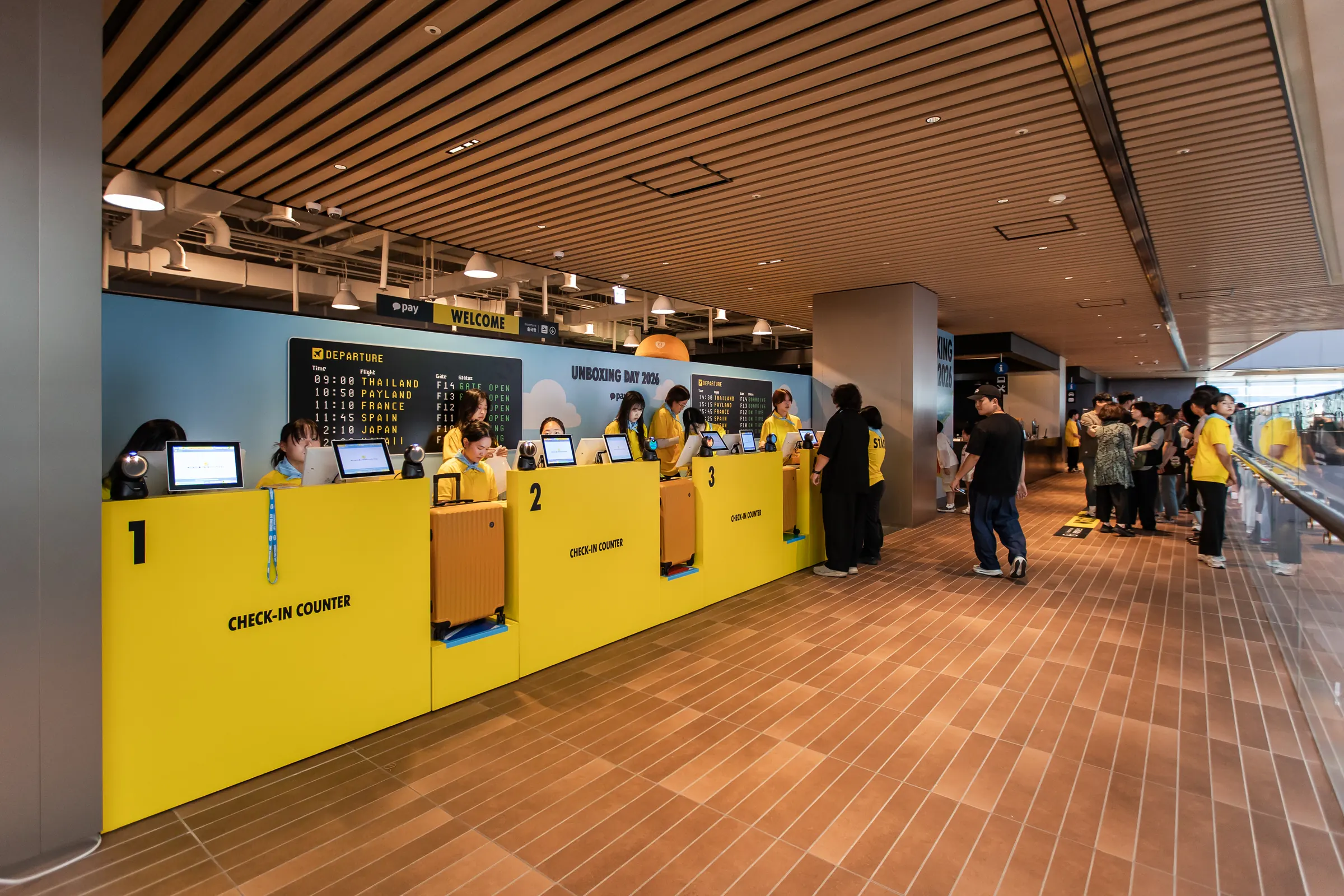
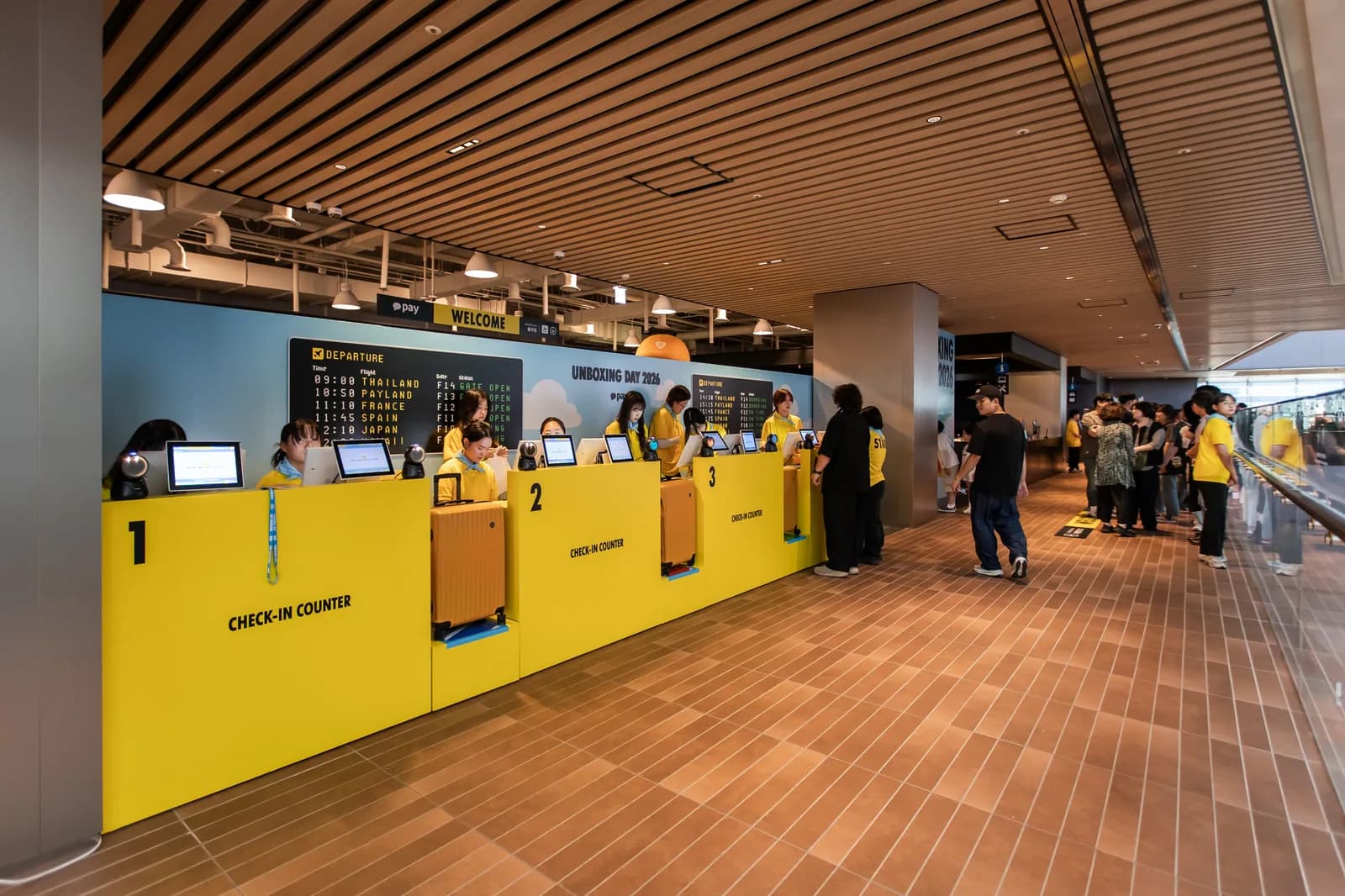
At reception for Kakao Pay Unboxing Day 2026, the check-in system built by ZZZARIT used a QR code to find a team, verified its attending headcount and linked an NFC badge for the team representative. The badge was then used to retrieve the team and its reservation at program entrances. We connected reception to program entry so a team verified on arrival could be identified again inside the venue.
The first design question was the unit of verification. The event had teams arriving together and reserving activities together. Reception and booking needed to refer to the same team for the information to remain useful at entry. We associated an NFC badge identifier with the team record and developed separate staff and participant screens to carry out that process at the venue.
Using the same team at reception and in booking
QR check-in starts with locating a registration record. In this project, that record also had to connect to activity booking. A team could hold two pre-entry reservations, and program staff checked an arriving team’s reservation before admitting it. If reception had ended at a name check, staff at the program would still have needed to identify the team again. Linking the checked-in team to an NFC badge provided that continuity.
The badge was used by the team representative. Its operating unit differed from a setup that tracks every individual entry with a separate badge. Reading the representative’s badge identified the team, after which staff reviewed the relevant information. The booking count used that same team identity. This connected the roster and reservations without asking operators to interpret each against a different unit.
Scan the QR code, then check who has actually arrived
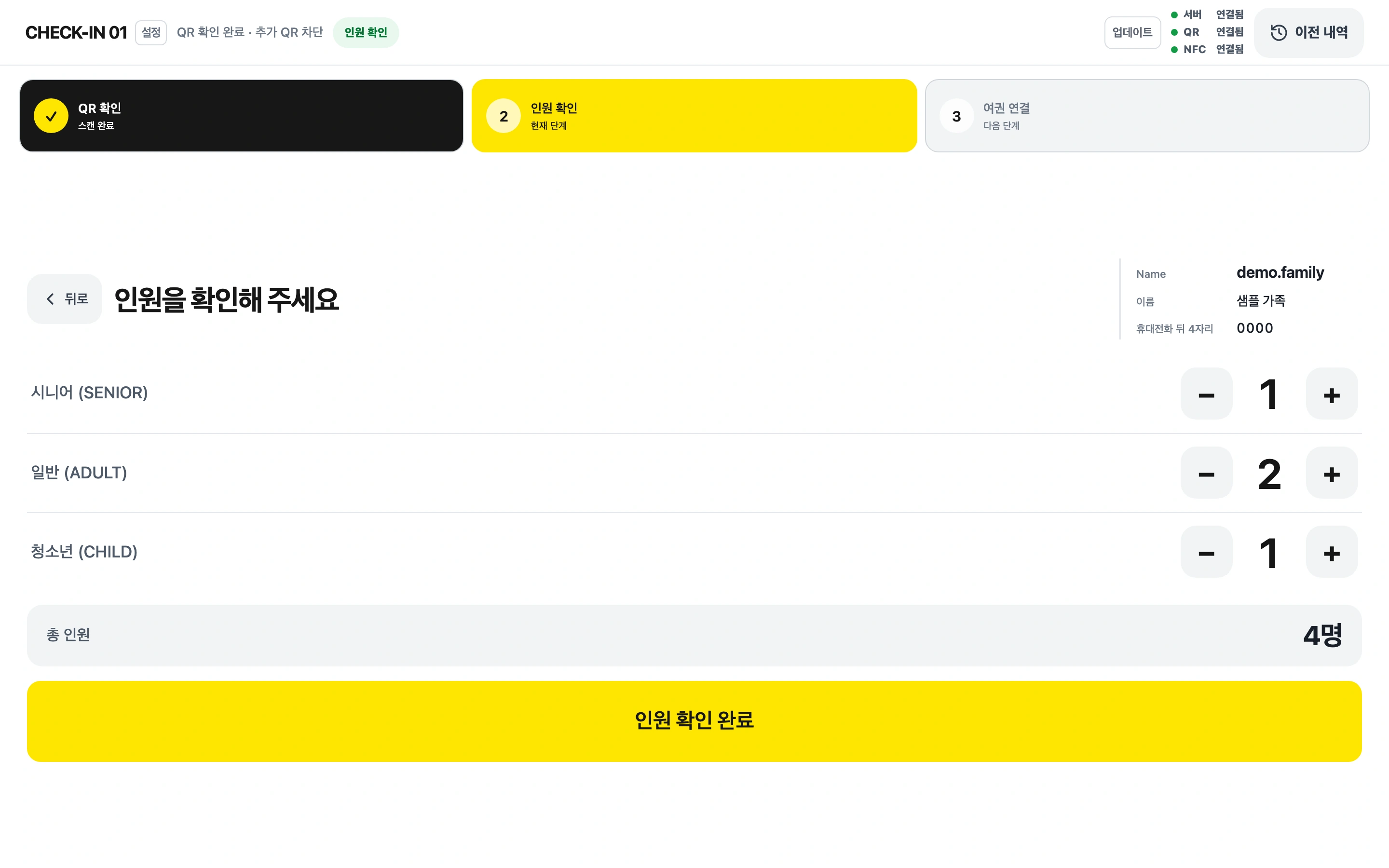
When a participant presented a QR code, staff retrieved the registered team. The QR code was the starting point for roster lookup instead of a verbal name search. Staff then checked the attending headcount, compared the preregistered information with the team at reception and could correct the count before continuing.
A registration roster describes the earlier application; reception verifies the actual arrival. Assuming the two always match can leave staff keeping separate notes about changes and explaining them to the next operator. We included a headcount review and correction step so that verification could take place within the system. Recognizing the QR code and completing the reception check were distinct stages.
The sequence preserved the reception staff’s judgment. The QR code established which record to retrieve, staff verified the actual team and then proceeded to badge linking. We separated what the device could look up from what a person needed to check at the venue. The QR presented by the participant, the team displayed on screen and the headcount checked by staff belonged to the same reception process.
A staff screen and a participant screen
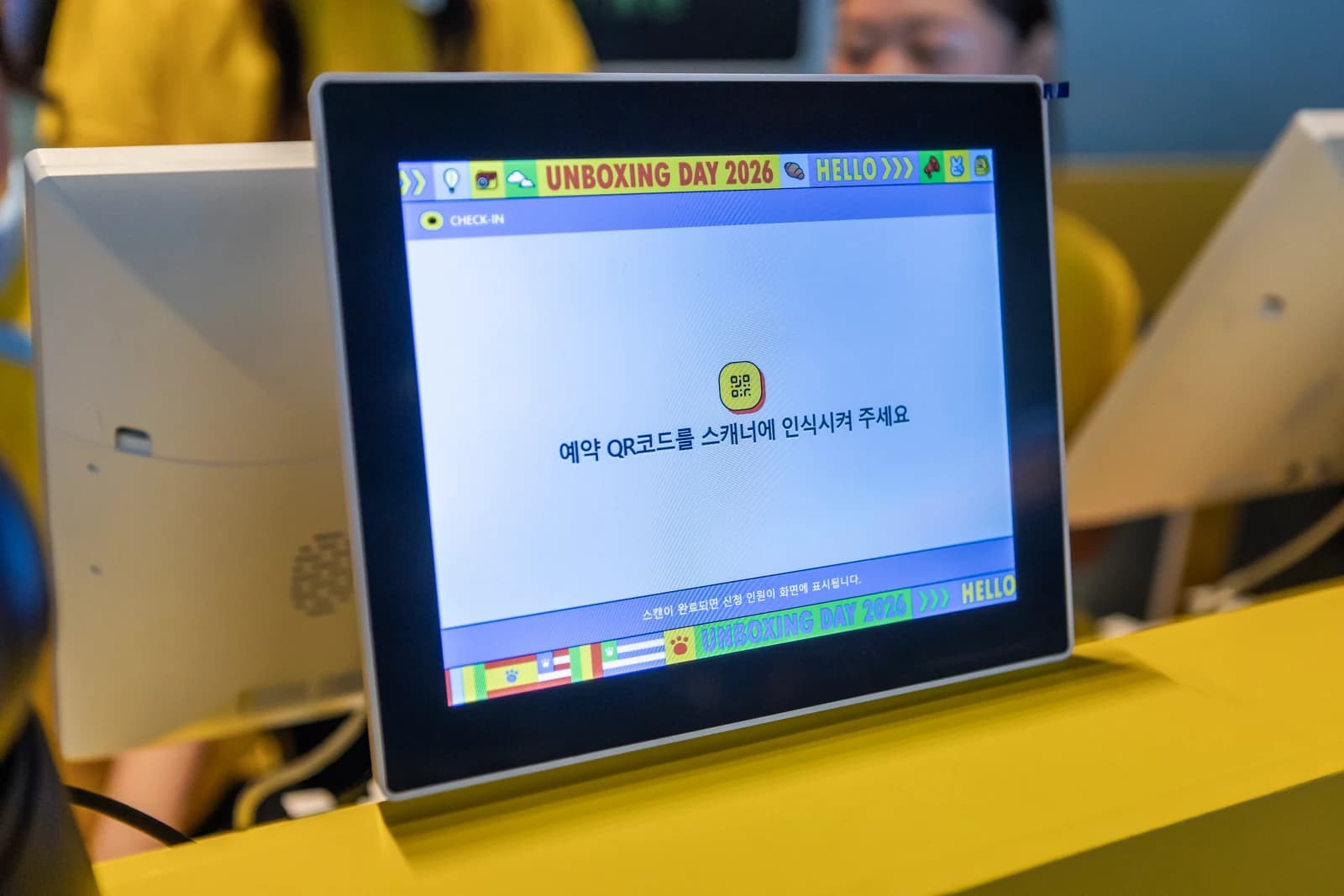
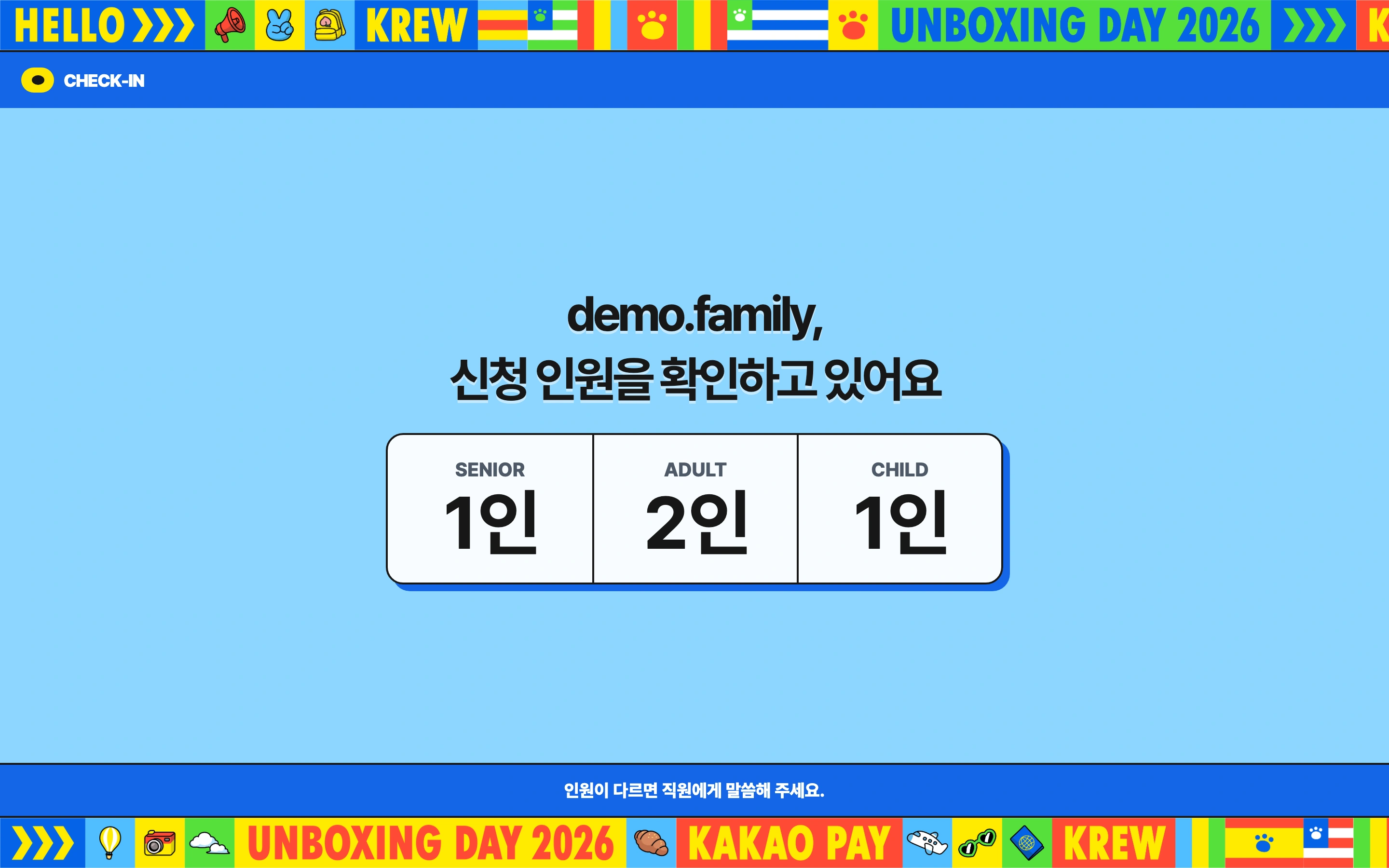
Staff and participants experience the same reception process from opposite sides of the desk. Staff review registration details and headcount before taking the next action. Participants need guidance on what is happening after they present a QR code. We developed a screen for each side, giving them separate roles from the outset and reducing the need to turn a staff display around or read its contents aloud.
The staff screen was an operating tool for reviewing the retrieved team and processing check-in. The participant screen communicated the reception process to the visitor. Separating them let each side show what its user needed at that moment. The interfaces below were recreated from the event screen source using sample data. They provide a closer look at layouts that are difficult to read in venue photographs.
Associating the badge identifier with the team record
After staff verified the team, they read an NFC badge and associated it with that record. The badge has a unique identifier that a reader can detect, and the system linked that identifier to the team information. A later tag at a program could follow that association to retrieve the same team. The connection made at reception therefore supported the next check inside the venue.
This setup did not write participant names or reservations onto the badge. The identifier was used to look up information held in the system. If participants booked a different program later, staff needed the team’s current reservation information. The badge identified the team, while reservation and entry states were handled by the operating system.
The final part of check-in involved more than reading a badge once. Staff verified that the QR had retrieved the right team, reviewed the attending headcount, linked the badge for that team and completed check-in. Each step needed to refer to the same team for the connection to remain useful at the program entrance. We built that sequence into the reception workflow for staff to follow.
At the program, staff confirmed entry after the NFC tag
Inside the venue, program staff used PDAs to call teams with reservations. When a team arrived and its representative tagged the NFC badge, the team and reservation information were retrieved on screen. Staff reviewed the information and confirmed entry. Reception check-in and admission to an individual program were different checks at different times; arriving at the event did not itself record participation in every program.
Reading the badge did not immediately mark the activity as used either. An NFC tag retrieved the team and reservation; staff were responsible for confirming actual entry. They checked the arriving team against its booking before recording admission. The operation retained a step for matching the record on screen with the people at the entrance.
Once program entry was confirmed, that reservation left the team’s two-booking pre-entry count, enabling another booking. Capacity used in the session remained consumed. For that rule to work consistently, the reception team check, representative badge, activity reservation and staff entry confirmation had to refer to the same flow. The booking and PDA operations article continues with calling and capacity management.
Development support that included devices and venue behavior
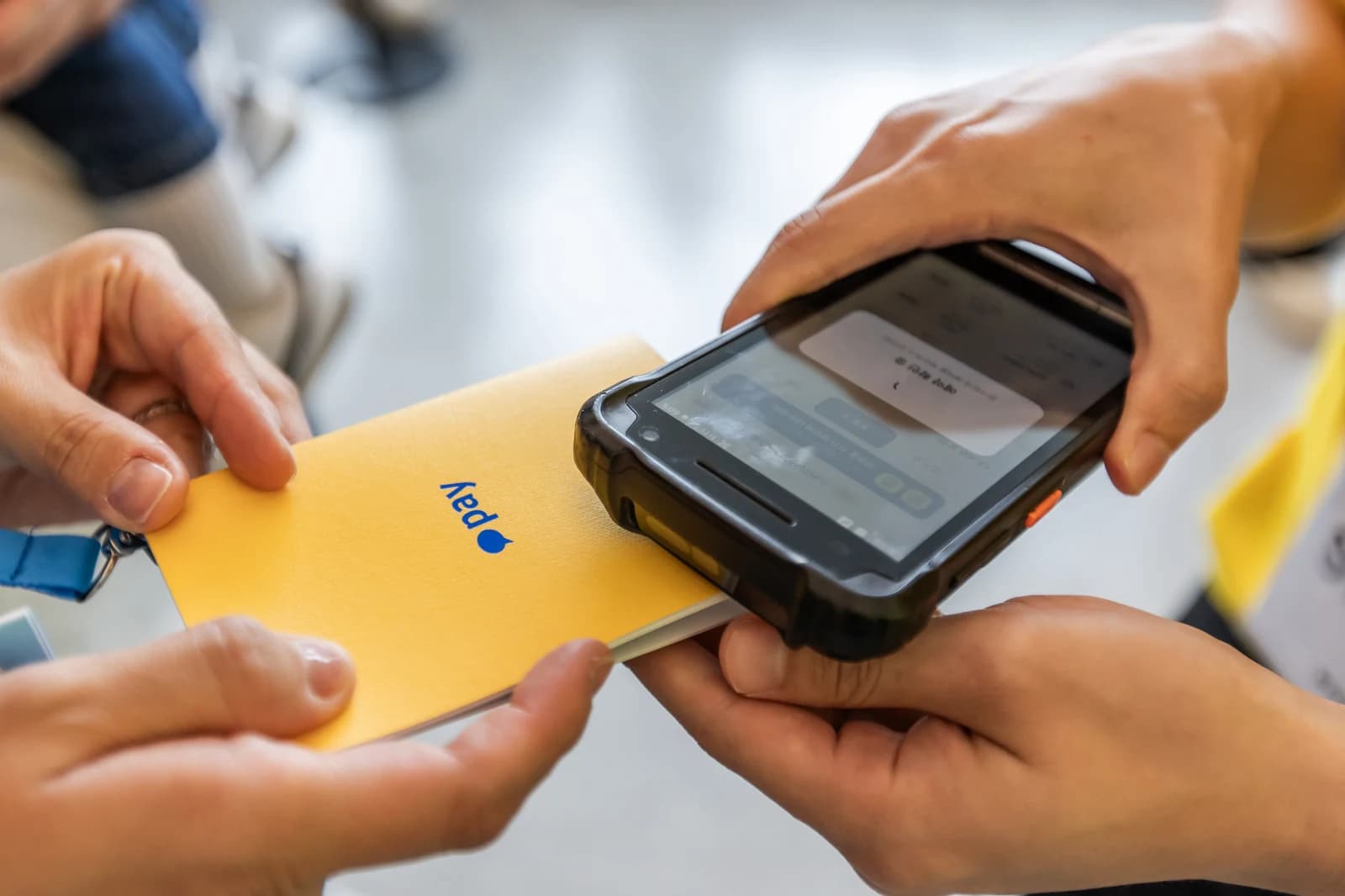
Reception software requires checks beyond whether a page opens. QR and NFC reading devices need to work with the venue network in the places where they are used. Preparation for this project included venue connectivity and floor-level checks on September 2. During the event, three developers were present to handle changes and investigations.
The operating records include PDA battery response and follow-up checks on NFC behavior. When a device does not respond as expected in front of a participant, reception or program staff need to determine what to inspect in the device or software. Our developers investigated the equipment and actual workflow together at the venue. The assignment covered both producing the interfaces and checking their use on site.
Planning a check-in flow like this one
This check-in flow connected QR lookup, headcount verification and NFC badge association around a single team. For another event, the starting decisions are whether to track people or teams, what can be corrected at reception and which later programs will use the badge. An event requiring only reception screens has a different software and equipment scope from one connecting reception to reservations and program entry.
The main case study describes the full delivery and on-site development support; the quiz and receipt-printing article covers the separate 10th-floor activity. Review the event registration and QR check-in guide for preparation items, or explore NFC event systems. Discuss check-in and program entry to review the unit of attendance and how badges will be used at your event.
FAQ
What was the check-in sequence?
Staff used the participant’s QR code to locate the team in the preregistered roster, reviewed and corrected the attendance headcount, read and linked the representative NFC badge and completed check-in. The same team could then be retrieved at program entry.
Was an NFC badge linked to every individual participant?
The badge described in this case was a team representative NFC badge. Its unique identifier was associated with the team record. An event requiring individual access records would need its own attendance unit and verification procedure.
Were names or reservations stored on the badge?
The setup used the badge’s unique identifier to retrieve the team record held in the system. It did not write participant names or reservations onto the badge. Current bookings and entry states were managed in the operating system.
Did an NFC tag automatically complete program admission?
The tag retrieved the team and reservation, then staff checked the information and confirmed admission. Reading the badge and recording entry were separate actions. Event reception check-in was also distinct from entry to an individual program.
Did staff and participants use the same screen?
We developed separate staff-facing and participant-facing screens. Staff reviewed team information and headcount while processing check-in, and participants could follow the reception process on the display facing them.
Explore the Kakao Pay Unboxing Day series
Registration & QR check-in
Built QR roster lookup, attendee-count checks and edits, team NFC badge linking and staff/attendee screens.
View details →Overview
Three systems and on-site support from three developers
View details →Booking and PDA operations
Booking limits, session capacity, calls and entry
View details →Quiz and receipt printing
From five questions to a claw-machine ticket
View details →Activity booking systems
Explore booking options for your programs and operating model.
View details →Discuss your event operations
Define locations, reservation rules and on-site support together.
View details →Get a quote from this setup
Zzzaritbot starts from what we delivered here and works out the scope with you.
View details →