
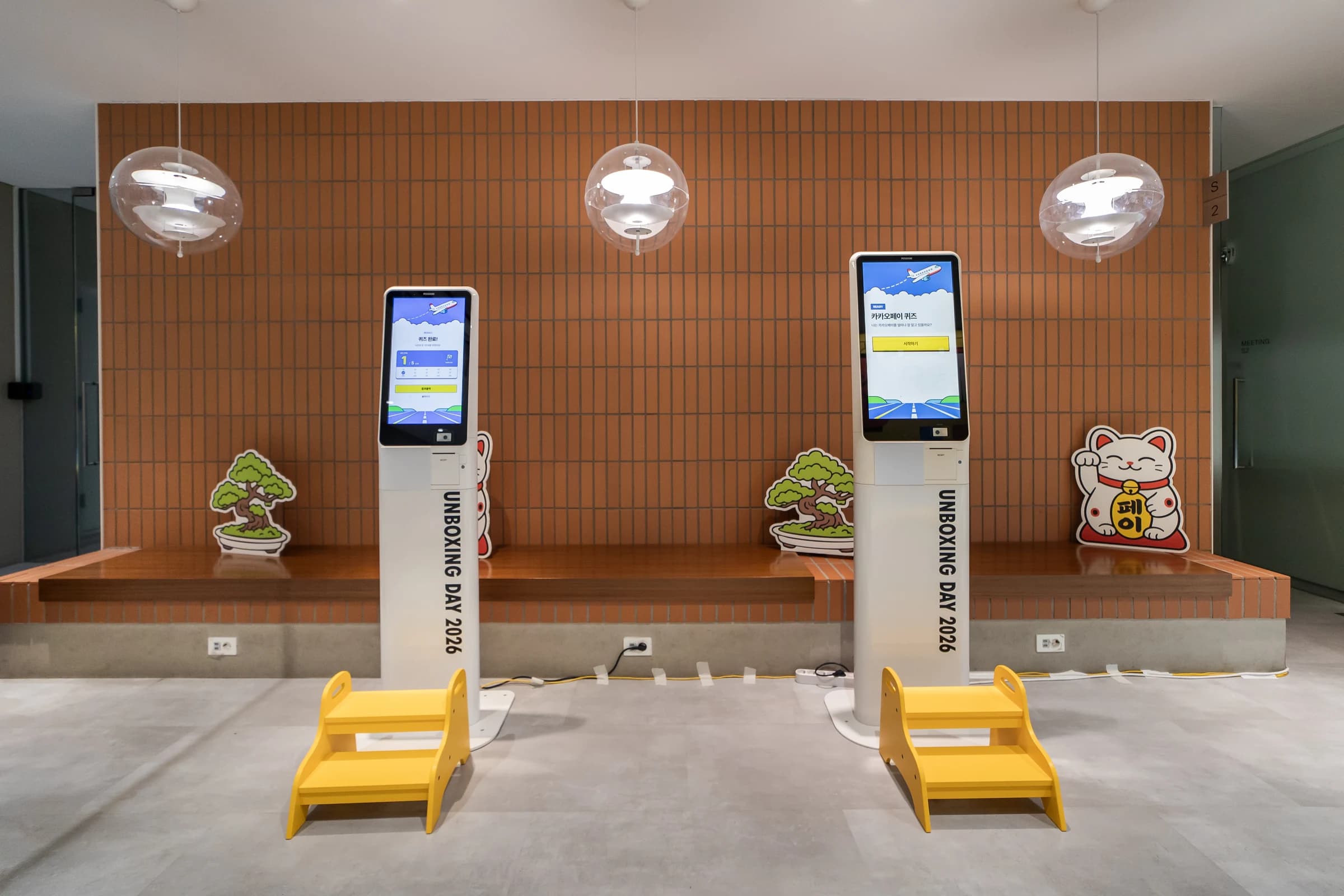
The fourth question requires two selections followed by submission.
Receipt-style results served as claw-machine participation coupons.
The quiz needed to continue beyond displaying a score, giving participants a printed result to take to the next activity.
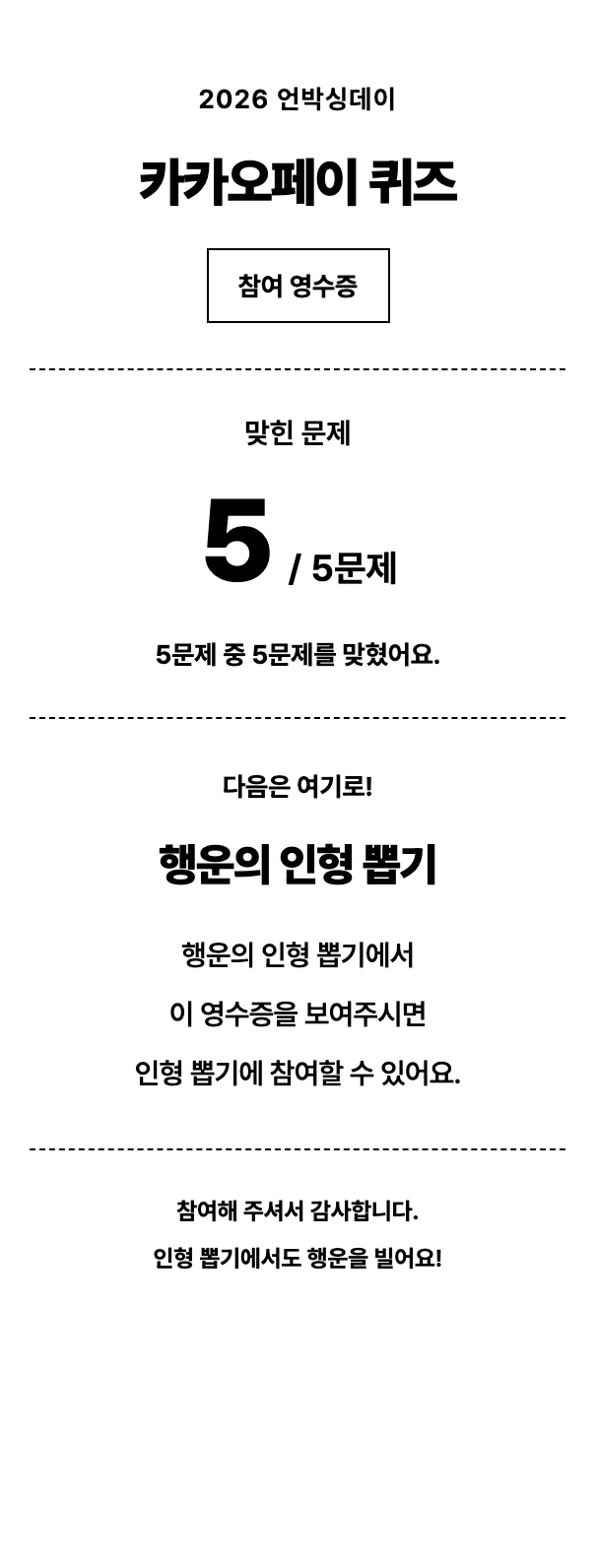
We connected portrait quiz questions, feedback and results with direct printing and a dedicated 80mm result-slip layout.
On the 10th floor of Kakao Pay Unboxing Day 2026, participants answered a touchscreen quiz, collected a printed result and took it to a claw-machine experience. ZZZARIT built the quiz kiosk for this space, connecting five questions, answer feedback, a result screen and a result slip printed on an 80mm receipt printer. Alongside mobile reservations and NFC entry confirmation, this was the third system we delivered for the event.
The result slip served as a participation coupon that visitors could carry to the next activity. We prepared the sequence from answering and seeing a score to holding a physical printout, connecting screen controls, printed paper and the subsequent claw-machine activity.
A paper result connected the quiz and the claw machine
Planning an event experience means looking at where the content ends and where a participant goes next. For this quiz, there was another action after seeing the result: taking the printed slip to the claw machine. The result screen needed a print action, and the paper needed to carry both the quiz result and guidance for the next experience.
We prepared separate result layouts for the display and the paper. A tall kiosk needs to communicate its current stage on screen, while a small receipt must remain readable in someone’s hand. Both show the same quiz result, but the available space and viewing distance differ. That made the printed output part of the software delivery, not an afterthought.
An event quiz built for a 1080 × 1920 portrait display
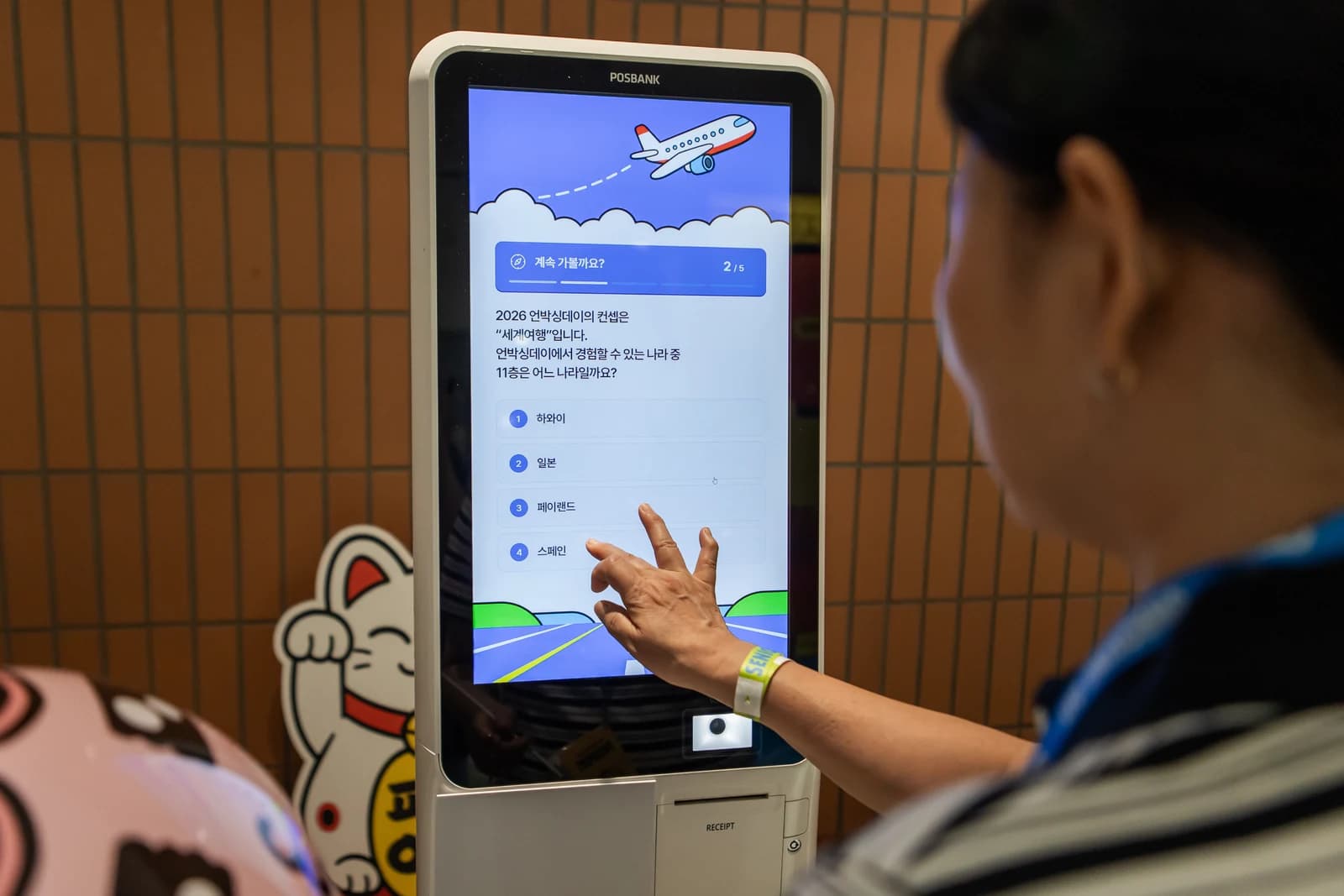
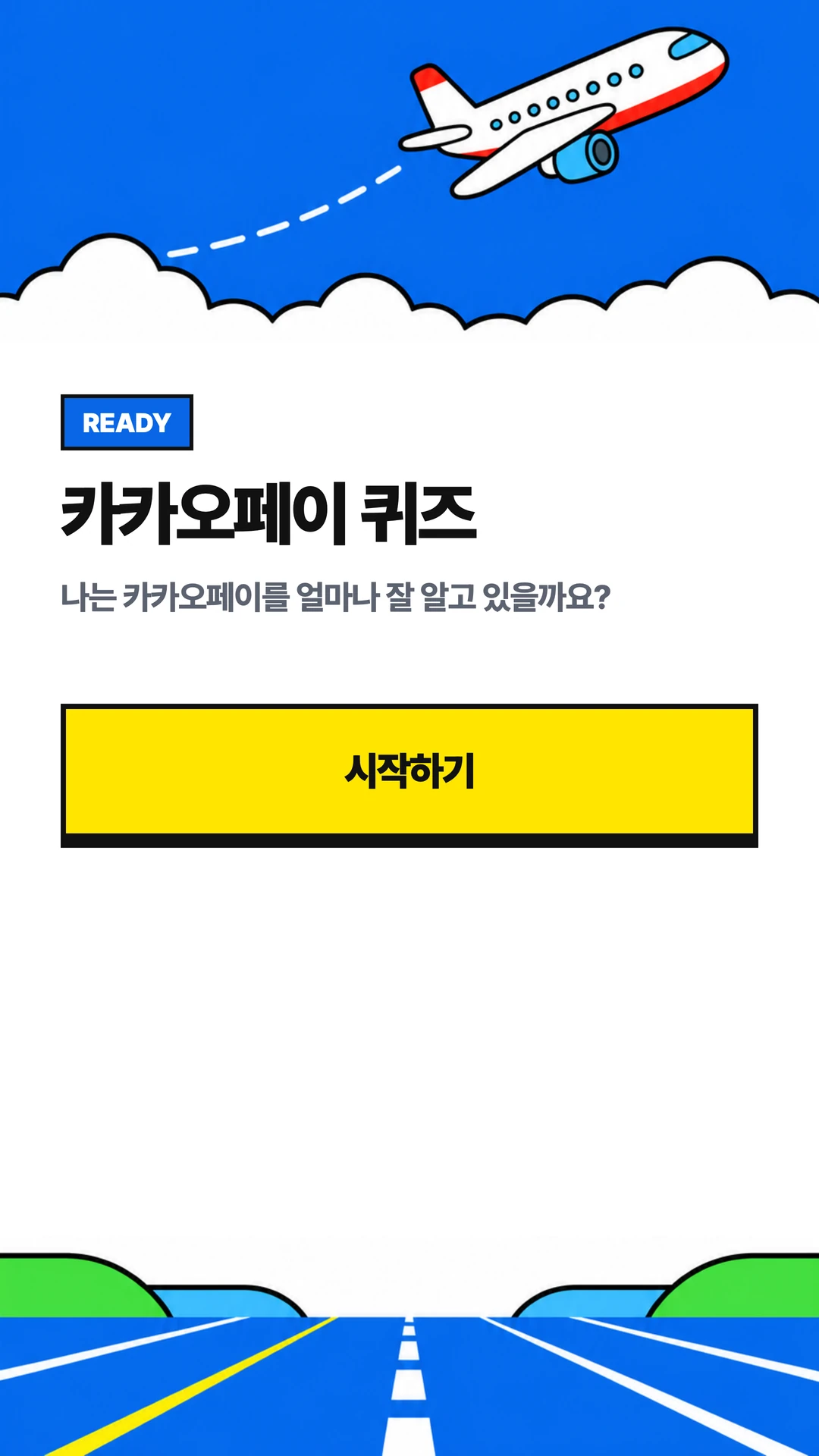
The kiosk was built around a 1080 × 1920 portrait display. Start, question and result screens followed one another on the same device. Touchscreen controls guided the current action and the next step. The flow centered on the question and choices in front of someone encountering the kiosk for the first time.
Preparation included reviewing the wording and button behavior of the event screens. Correct scoring and a participant understanding the next step are separate checks. We implemented what to select, what changes after an answer and how to print at the end in the order the screens were used. Delivering on-site content required more than adding an answer key.
Five questions, with a distinct submission rule for the fourth
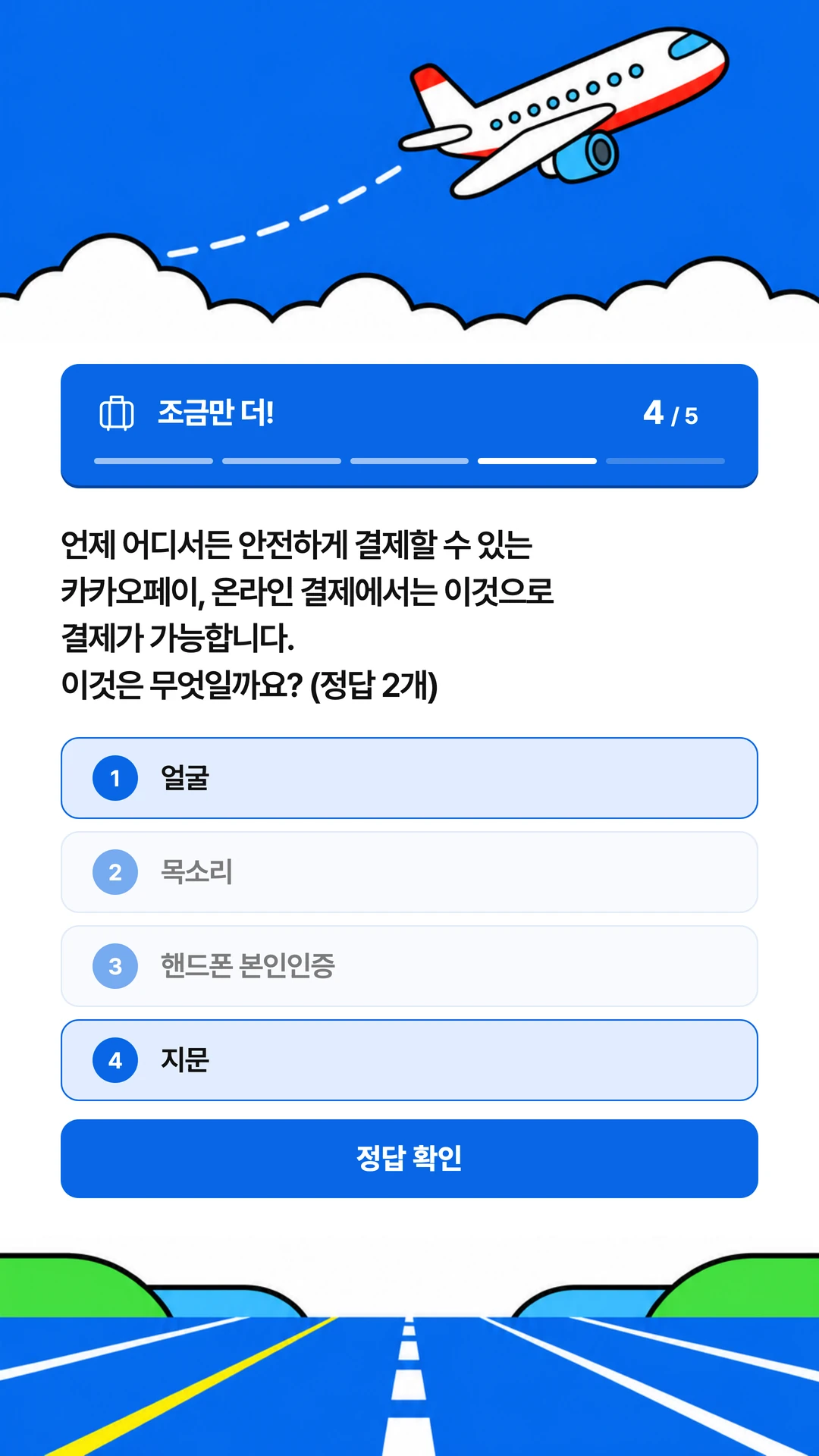
The quiz contained five questions worth one point each, for a maximum of five points. Each submitted answer was checked and contributed to the final score. A clear question count and scoring rule kept the question screens, result screen and printed slip consistent, so the same attempt did not acquire different meanings in different outputs.
The fourth question required two selections followed by a separate submission action. Scoring immediately after the first choice would prevent the participant from selecting the second. This question therefore distinguished selection in progress from a submitted answer and allowed submission after two choices. Its behavior followed the actual question requirement instead of treating every question as an identical click action.
For a participant, reading, choosing and seeing feedback form a continuous experience. The software needs to distinguish the states in between. A result should not appear while an answer is still being selected, and interaction with the next question should not overlap the current feedback. We managed that sequence through separate question and feedback stages.
Give answer feedback time to be read, with a way to continue
Submitting an answer displayed feedback. The flow continued after 10 seconds or when the participant pressed the confirmation button. Someone who wanted to read had time to do so, while someone already finished could continue. This gave participants a way to control the pace after checking the feedback.
The 10 seconds was not an answer time limit. It applied to the feedback shown after submission. Distinguishing answer selection from reading feedback describes the implementation accurately. The kiosk maintained the sequence of question, submission, feedback and next question, then moved to the result screen after all five questions.
Even in a short quiz, these button and timing choices shape the pace. After an incorrect answer, participants still needed to understand the result and continue. We built scoring and feedback together so the displayed sequence could guide the interaction, rather than requiring staff to advance each screen.
Carry the five-point result from the display to the printout
After completing all five questions, participants saw their score and could proceed to printing. The result on screen carried through to the paper slip. Reading a result and obtaining the slip needed to connect clearly, reducing the need to ask staff what to do at the final step. That is why printing was part of the result screen.
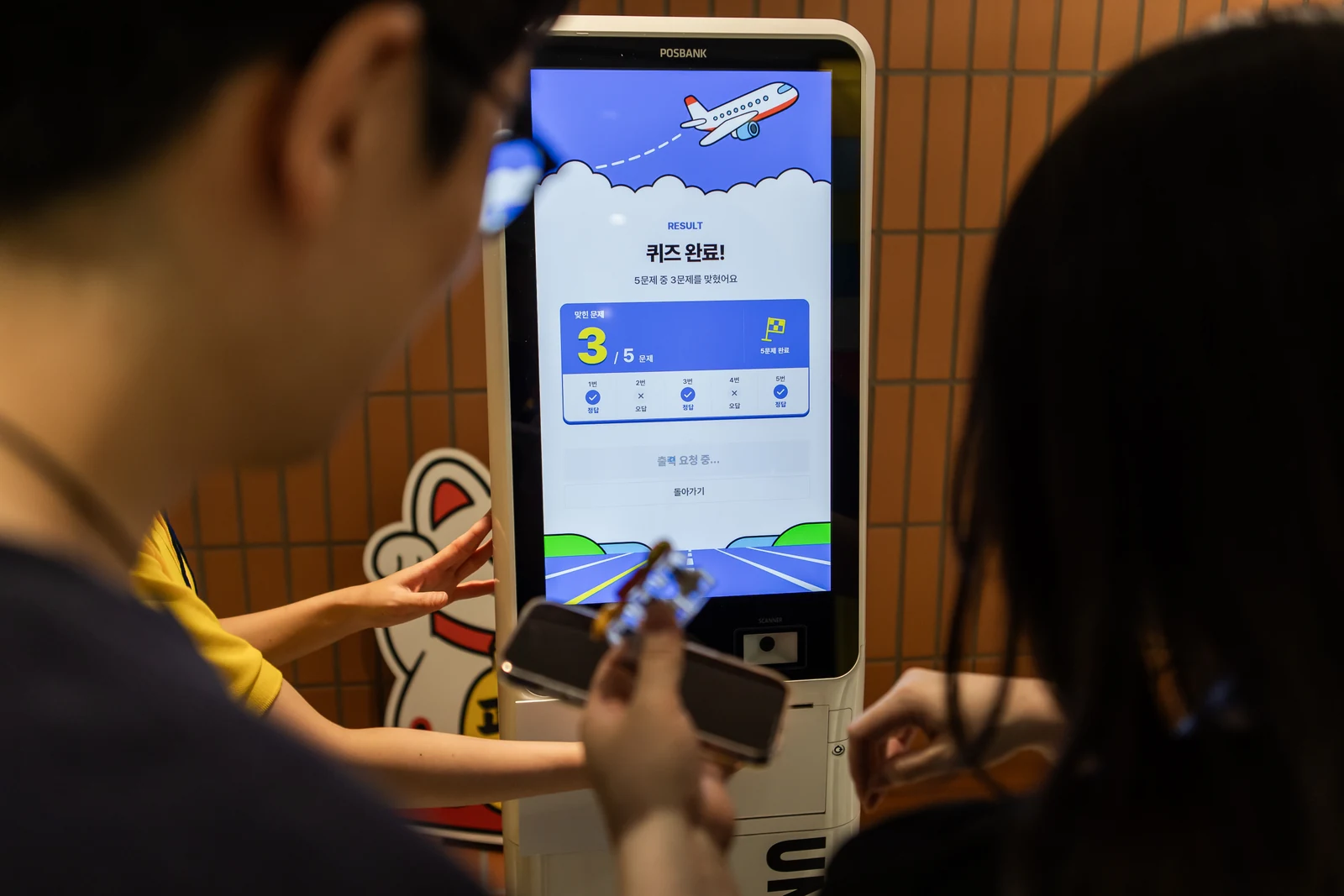
Print directly from the result screen
In the final operating interface, the print button triggered printing directly, without a second in-app preview modal. Participants had already seen their score on the result screen. The action moved toward receiving the slip, while a dedicated print layout kept the entire kiosk display from being reproduced on the paper.
The print button was locked for five seconds after use. This reduced immediate repeated print requests when someone tapped several times. Temporarily limiting input after pressing print aligned the screen interaction with the period in which a participant was expecting the paper slip.
The print layout also had to fit the hardware’s margins and text size. We built the result slip for an 80mm receipt printer, arranging the result and guidance for the narrow paper. Simply shrinking a tall screen layout would make the print difficult to read, so the display and paper were treated as separate output formats.
Prepare the content for use at the venue
Fonts and image assets were included in the operating package, reducing dependence on external web addresses for the materials that composed the screen. If type or layout changed when opened on the event device, participants would see something different from the reviewed version. Packaging the required assets helped keep the presentation consistent.
Three developers attending the venue was also part of the project scope. We made fixes and provided support in the environment where participants stood at the devices and staff used the equipment. The development team observed the full system, including reservations and NFC entry, in use on site. The quiz kiosk was prepared as one part of that setting.
Carry the result into the next experience
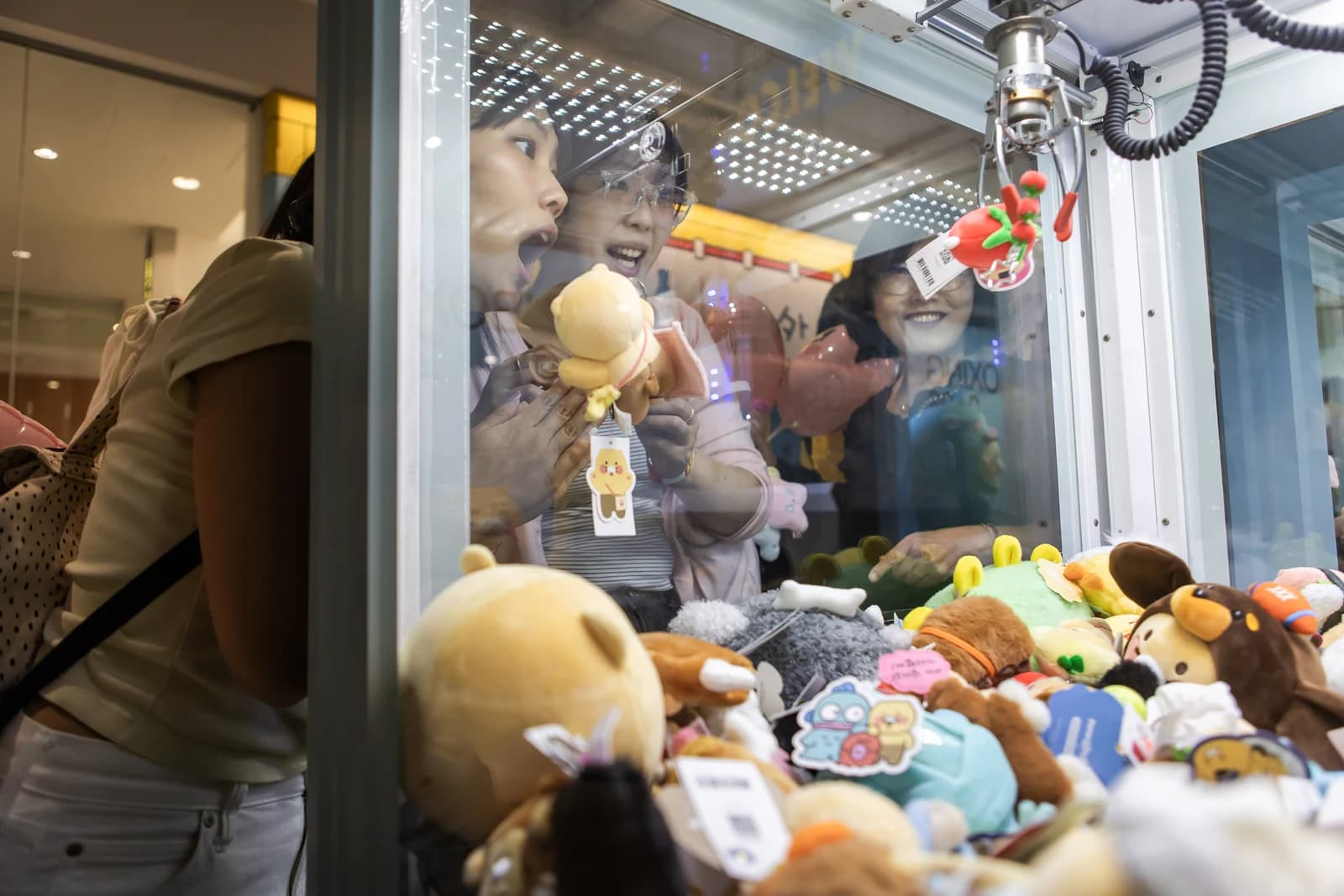
At the event, the result slip was used as a claw-machine participation coupon. An action that began on a touchscreen continued with collecting paper and moving to another experience. Preparing that connection required defining the printout’s role while planning the kiosk content. The Unboxing Day slip combined the quiz result and the invitation to the next activity in one physical output.
This is a useful consideration when planning movement between event programs. Defining what a participant receives at the end and where they go next, alongside the number of kiosks, gives the result screen and print wording a clear purpose. In this project, the five-question quiz, score, printed result and next claw-machine activity were implemented around the actual content and equipment.
Part of a delivery that included check-in and booking operations
Our work at this event also included two other flows: linking team NFC badges during QR check-in, and using PDAs to call teams and confirm their entry to booked programs. At the entrance, the system identified arriving teams; at the programs, it managed reservations and arrivals; on the 10th floor, it delivered the quiz and printed results. We built software for each space’s role and supported the systems together on site.
The complete case study brings together the screens, delivery scope and on-site support. Read the QR check-in and NFC badge article for how team records were connected at the entrance, or the booking and PDA operations article for program capacity and queue management.
FAQ
What did ZZZARIT build for the 10th-floor quiz kiosk?
We built a five-question touch quiz, answer feedback, a result screen out of five points and receipt-style results for an 80mm printer. At the event, the printouts served as claw-machine participation coupons.
How were scoring and the multiple-selection question handled?
There were five questions worth one point each. The fourth required two selections followed by explicit submission, keeping answer selection separate from scoring.
When did feedback move to the next stage?
After submission, feedback remained until 10 seconds elapsed or the participant pressed the confirmation button. The 10 seconds was not a time limit for answering a question.
Was there another preview window before printing?
The final operating interface printed directly from the result button without an intermediate in-app preview modal. A five-second button lock reduced immediate repeat requests.
Which printer format did the result use, and what was it for?
The layout was built for an 80mm receipt printer. Participants used the printout as a claw-machine participation coupon, combining the quiz result and guidance for the next experience on one slip.
Explore the event experience and delivery scope
Event experience kiosks
Built a five-question portrait touch quiz and 80mm printed result, documenting the kiosk scope of the same Unboxing Day.
View details →The complete Kakao Pay Unboxing Day 2026 project
See the delivery that combined check-in, booking operations and this quiz kiosk.
View details →Discuss quizzes and printed results
Tell us the question format, purpose of the printout and intended equipment.
View details →Get a quote from this setup
Zzzaritbot starts from what we delivered here and works out the scope with you.
View details →